
How to Replace Excel With Construction Software Without Disrupting Ongoing Projects
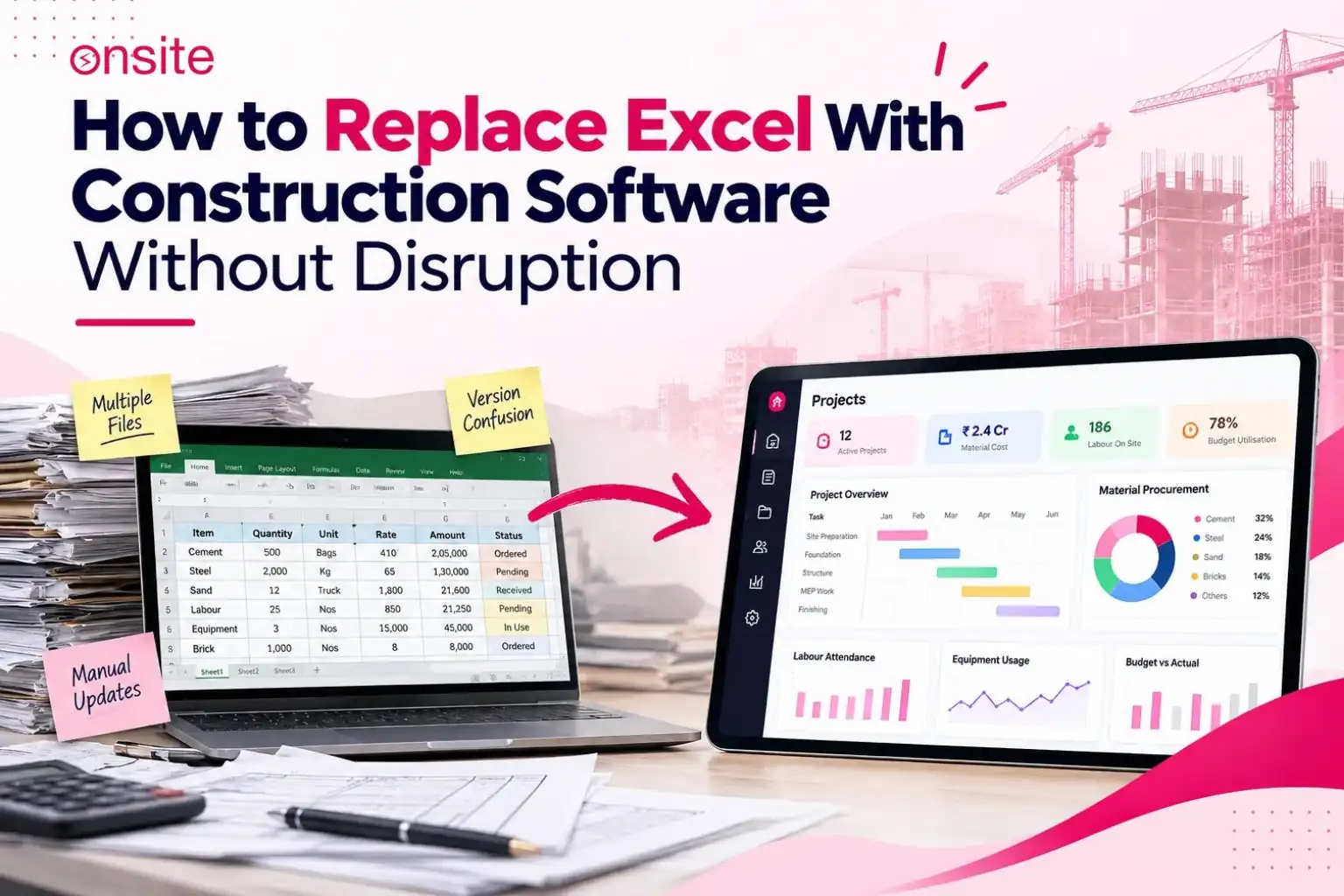
While we say replace Excel with software, it does not automatically mean deleting all the files or spreadsheets on day one itself. It simply means moving the live workflows and records required to operate the business into a more systematic and controlled system. It helps in validating the new reports against the existing ones, defines a cutover point, and makes the software the operational source of truth from that day forward.
The challenge is not using the software. The challenge is to replace Excel with software while projects are still running, budgets are continuously being consumed, materials are being used, labour is on site, and billing is in progress. That is the major problem, and this is what this article addresses.
How Can You Replace Excel Without Disrupting an Ongoing Construction Project?
Map every Excel workflow to the decision it supports → classify each as replace, retain, archive, or integrate → clean the data before migration → establish an agreed opening position for each live project → migrate only active records → run a controlled parallel check period where the software is the new record and Excel is the validation → reconcile differences → cut over on a defined date → archive the final Excel version → repeat for the next project or workflow.
1. Why Replacing Excel Mid-Project Is Different From Starting a New Project
The simplest way to implement construction software is to start with a new project from day one. Everything starts fresh. The BOQ goes in, the budget is set, the workflow begins, and the software has a complete record of the project from the point it starts. There would be no migration process because there is no prior data.
However, mid-project migration can be different and difficult. By the time a contractor decides to move a live project into software, that project already has a significant history.
| Starting a new project | Migrating an ongoing project |
| Create project structure | Existing project structure already in use |
| Set up BOQ | Current BOQ may have revisions in progress |
| Establish budget | Budget already approved and partially consumed |
| Add users | Users already have established working practices |
| Start workflows from zero | Materials purchased, POs open, work partially complete |
| Labour records begin on day one | Labour records already exist for previous periods |
| Subcontractors engaged from start | Subcontractor values may already be certified |
| Billing begins with first milestone | Billing may already be in progress |
The problem is not entering the data into the software. It is about migrating the existing data and creating a trustworthy starting position for a project that is already in progress.
2. Why Contractors Keep Excel Even After Buying Construction Software
This is one of the major reasons why implementation fails. Usually, what happens is that the software is purchased, and the accounts and management teams use it for some reporting. But when it comes to the site and procurement teams, they continue to work in Excel.
After three months, there are two systems in which the project data exists, and neither one is fully reliable because both contain conflicting records.
The reason behind this is not a fault with the technology. Excel remains in use because it is familiar and genuinely solves a working problem. It is faster to filter and sort, easier to build a custom formula for a one-off analysis, and familiar to someone who has used it for years.
A custom procurement sheet may have been built specifically to handle the way a particular project’s billing works. Practitioners who manage construction procurement often describe this clearly: software may handle the creation and tracking of purchase orders, but they maintain a parallel Excel sheet for specific sorting, cross-project analysis, or billing summaries that the software’s default reports do not produce in the format they need.
So, basically, Excel is coming into the picture to fill a gap.
The implication for migration is that you should not try to remove Excel completely from day one. First, gradually establish a new workflow that can actually solve the user’s specific problem. Migration takes time, but you need to give the software a chance rather than continuing to rely on Excel simply because it is familiar.
The case for why Excel and WhatsApp no longer serve construction businesses as they scale is covered in the construction project tracking article. This article begins where that one ends: not whether to make the move, but how to make it without disrupting what is already running.
3. Start With Workflows, Not Excel Files
You know what the wrong starting point is? That instinct when the migration process is taking place, where you open a folder, look at every spreadsheet, and ask, “Which one should we move?”
Rather than doing this, you need to identify the workflow behind each spreadsheet. You need to know what operational decision the Excel sheet supports and which person depends on it.
| Workflow | Current Excel use | Owner | Decision supported | Target system |
| Project budget | Budget tracker | Project manager | Cost control | Construction software |
| PO tracking | PO master sheet | Procurement | Purchasing visibility | Construction software |
| Material tracking | Site stock sheet | Site or store team | Replenishment decisions | Construction software |
| Billing | Billing tracker | Billing team | Claim preparation | Construction software |
| Labour | Attendance and payroll sheet | HR or site admin | Payroll and productivity | Construction software |
| Custom project analysis | Ad-hoc calculation sheet | Project manager | One-off reporting | Retain in Excel |
The central principle here is that you need to migrate the workflow, not just a spreadsheet. A spreadsheet that already exists and is tracking POs is doing its job. The migration question is whether the software can perform that job as well as or better than the spreadsheet for the person currently doing it in Excel.
4. Which Excel Workflows Should You Replace First?
Every spreadsheet is not supposed to be migrated at the same time. You need to classify each workflow before deciding.
Replace: You can replace live, repetitive, operational workflows that would benefit from shared visibility, approval controls, and audit records rather than remaining in the hands of one person. These are some of the workflows where Excel creates more risk through multiple versions, lack of access control, formula errors, and version conflicts.
Retain: There are multiple Excel sheets that are genuinely analytical and provide calculation value that the software does not replicate in the same form. These may include analysis, custom calculations, and client-specific report formats that you need to retain.
Archive: You need to archive historical records from completed projects or past periods. They are not supposed to remain operational. They are supposed to be preserved.
Integrate: Excel may still have a role, but the core record should live in the software. The Excel sheet becomes a working layer built on top of exported software data rather than a parallel record.
| Excel workflow | Migration decision |
| Active project budget | Replace |
| Current PO tracker | Replace |
| Live material stock register | Replace |
| Active subcontractor billing tracker | Replace |
| Historical completed-project records | Archive |
| Closed invoices from previous years | Archive |
| One-off custom calculation sheet | Retain |
| Custom analysis built on software exports | Retain or Integrate |
5. Clean the Excel Data Before Migration
Excel sheets need to be audited and cleaned before the data enters the new system. Migration is also a data-cleaning exercise. The quality of the data in the software depends on the quality of the data that goes into it.
Common problems found in construction Excel files before migration include:
- Duplicate entries for the same material, vendor, or project item
- Inconsistent material names: Cement, OPC Cement, OPC 43, OPC 43 Grade, and 53 Grade OPC may all refer to the same item across different rows or sheets
- Inconsistent vendor names: the same vendor may be entered under three different name variants
- Duplicate project codes or activity codes created by different project managers who built their trackers independently
- Old employees still listed as active
- Inactive vendors still appearing in active sheets
- Missing dates on transactions
- Incorrect running balances that have been manually overridden without explanation
- Broken or hardcoded formula values that have been pasted in to fix an error
- Inconsistent cost codes across different project trackers
The principle is that you should not bring inconsistencies from the old system into the new one. For example, a material cannot be entered under four different names in Excel and then migrated in the same way into the software, as this can cause reconciliation problems. Migration is one of the most practical opportunities to identify and correct these inconsistencies.
6. Establish the Project’s Opening Position
In the migration process, this is the implementation step that gets skipped most of the time, and it leads to predictable results. An ongoing project does not enter the software as a blank project that will be built up from the beginning. It enters with an agreed opening position, representing the current state of every operational record on the date the project is transferred.
| Project area | What the opening position captures |
| BOQ | Current approved BOQ with any revisions |
| Budget | Current approved budget and consumed-to-date figure |
| Materials | Agreed book position and physical stock count |
| Procurement | Open purchase orders and pending deliveries |
| Labour | Active workforce and current period attendance |
| Subcontractors | Current work orders and certified values to date |
| Billing | Latest approved billing position and retention held |
| Expenses | Outstanding and current-period expenses |
| Tasks | Active and incomplete work assignments |
The opening position is the project’s financial and operational starting point inside the software. Each record that was recorded before this date remains archived in the Excel records, while everything from that day forward is recorded in the software. Getting the opening position right requires a reconciliation exercise before the cutover.
7. Decide What Historical Data Actually Needs to Move
A common mistake is trying to move every old spreadsheet record into the software. This creates a lot of unnecessary work. It also brings old errors and inconsistencies into the new system. The result is a system filled with records that nobody needs for daily work.
Historical records can be divided into three categories.
Active data: The project still depends on the record. This data must be migrated. Open purchase orders, active subcontractor work orders, and current material stock balances are examples. These should enter the software as live records.
Reference data: Is useful when someone needs to check it, but it does not affect current operations. Examples include completed subcontractor billing schedules, the BOQ of a closed project, and historical rate cards. This data can be imported for reference. It can also remain available in the archived Excel file.
Archived data: It has no operational need to be migrated. This includes old projects, completed billing cycles, and historical labour records from previous periods. These records should stay in the final version of the Excel file and be stored as an archive.
| Record | Migrate to software? |
| Current approved budget | Yes — active |
| Open purchase orders | Yes — active |
| Current material stock position | Yes — active |
| Active subcontractor work order | Yes — active |
| Outstanding billing position | Yes — active |
| Closed invoice from a completed project | Archive in Excel |
| Old labour records from previous years | Archive in Excel |
| Completed project calculations | Archive in Excel |
| Historical rate cards | Reference data — import or archive |
8. Handle Transactions That Are Still Open at Cutover
When a project is live, there might be several transactions and there will be an intermediate state at the moment of cutover that has started but not finished, approved but not completed, received but not recorded. Each of these data entries needs a clear migration decision.
Open commitments, unbilled receivables, retention balances, and payroll-related items require separate continuity controls in construction ERP migration because they directly affect active project execution which is exactly why each of these receives a specific migration treatment in the table below.
| Transaction state at cutover | Migration treatment |
| Fully completed and recorded | Historical or reference record |
| Approved but not yet executed | Migrate as open transaction |
| Partially completed — balance remaining | Migrate current status and outstanding balance |
| Received but GRN not yet entered | Record GRN in software as opening entry |
| Subcontractor work measured but bill not certified | Migrate as measured-not-certified |
| Measurement completed but billing not raised | Migrate as pending billing |
| Expense incurred but not yet entered | Enter as opening-period expense |
| Unclear or disputed status | Reconcile before cutover — do not migrate unresolved |
| Duplicate or invalid entry | Do not migrate |
One of the most common problems in post-migration reconciliation is open transactions. For example, an invoice might have been issued before the cutover date but received after it, or a PO might have crossed the cutover date while still awaiting delivery. Any of these situations needs a clear migration decision before the cutover date.
9. Run Excel and the New System in Parallel But Only Temporarily
Running both systems at the same time for a fixed period can be a useful part of migration. It gives the team time to compare the new software with the existing Excel records. They can find missing data, identify reconciliation issues, and check whether the new system is accurate. It also helps the team build confidence before fully moving to the new system.
The important difference is between useful parallel running and dangerous parallel running.
Useful parallel running: The software becomes the new operational record. New transactions are entered there first. Excel is used only as a temporary reference. The team checks the software figures against Excel to confirm that they are correct.
Dangerous parallel running: Both systems are maintained as sources of truth. New transactions are entered into both systems. People pull reports from whichever system they prefer. Differences are resolved through WhatsApp messages instead of formal reconciliation. Nobody knows which system is actually correct.
| Migration stage | Excel role | Construction software role |
| Before migration | Source of truth | Not yet in use |
| Pilot and setup | Existing record for reference | Trial record — being configured |
| Parallel check period | Validation and reference only | New operational record — where transactions are entered |
| Cutover | Read-only — no new entries | Source of truth |
| After cutover | Archive | Official operational record |
A parallel period should have a defined end date. If it keeps running, which basically means it does not end, there are two systems simply running at the same time. This creates the original problem in a more complex form.
10. Decide the Cutover Date
The cutover date is the date on which the software becomes the official operational system, or the date when the software comes into use in the workflow. After this date, no new transactions are entered into Excel. All new entries go directly into the software, including material requests, POs, labour records, billing updates, subcontractor work orders, expense entries, progress updates, and approvals.
This cutover date should be communicated to each person involved in the construction project so that the transition is a coordinated decision rather than something imposed and discovered when someone is told not to update the Excel sheet. Everyone should know exactly when new material requests must be raised in the software, new purchase orders must be created in the software, labour attendance must be recorded in the software, expenses must be logged in the software, and so on.
After the cutover date, Excel should not remain an unofficial second system. This does not necessarily mean that the team should completely stop using Excel. However, Excel should no longer be the record that governs what happens on the project.
11. How to Migrate an Ongoing Project Without Stopping Site Work
Bringing everything together into the actual rollout sequence, it is possible to do one project at a time, starting with the most suitable candidate and expanding from there.
Step 1: Select the project
Choose a project that is currently ongoing and suitable for migration. It should be active enough to test the workflows properly, but not so complex that the migration becomes problematic.
Step 2: Map the workflow
Identify each Excel sheet being used on the project. You need to find out who uses it, what decisions it supports, and how often it is used.
Step 3: Classify the workflow
For each Excel workflow on the project, apply one of the following decisions: replace, retain, archive, or integrate.
Step 4: Clean the data
Go through each Excel file identified for migration. Remove duplicates, standardise names, resolve inconsistencies, and document known errors.
Step 5: Establish the opening position
Cross-check the project’s current status in each area, such as budget consumed to date, open POs, current stock, certified subcontractor value, outstanding billing, and active workforce.
Step 6: Configure the software
Set up the project, cost codes, BOQ, users, and permissions in the software. All of this should be configured based on the agreed opening position.
Step 7: Migrate active records
Migrate only active data, such as open transactions, current positions, and active work orders. You do not need to archive historical or reference data into the live project.
Step 8: Run the validation period
Try adding a brand-new transaction in the software and compare the key figures against the Excel baseline. Ask questions to determine whether the software is working properly. Does the software’s material balance match the Excel stock register? Does the budget consumed figure reconcile?
Step 9: Reconcile
Resolve all the differences identified during Step 8 before the cutover date. Document the resolution for each discrepancy.
Step 10: Cut over
Agree on a cutover date and make the software the official system on that date. Communicate this to the whole team and stop all new entries in Excel.
Step 11: Archive Excel
Keep the migrated Excel files with clear labels, including the project name, cutover date, and final revision. Store them where they remain accessible when required but are not available for active operational use.
Step 12: Repeat
Move to the next project or the next workflow category and apply the same process.
12. How Do You Know the Project Is Ready for Cutover?
Use this checklist as the sign-off before the cutover date is confirmed.
Data and records:
☐ Current BOQ confirmed and entered into the software
☐ Project budget reconciled between Excel and software
☐ Material stock position verified against physical count
☐ Open purchase orders identified and migrated
☐ Pending deliveries accounted for
☐ Active subcontractor work orders and certified values entered
☐ Outstanding billing position identified and recorded
☐ Open transactions reviewed and migration decision made for each
System and users:
☐ Users and permissions configured for the project
☐ Key workflows tested by the people who will use them
☐ Reports compared between Excel and software for the validation period
☐ Project manager has reviewed and signed off the opening position
Process:
☐ Site team has been told where to record future entries
☐ Cutover date has been communicated to all relevant users
☐ Final Excel snapshot has been saved and labelled for archive
☐ Any remaining discrepancies have been resolved or documented
If more than two of these items are incomplete at the point the cutover is proposed, delay the cutover. Cutting over into a system where the opening position has not been reconciled creates problems that compound with every subsequent transaction.
13. What Happens to Excel After the Switch?
It should be clear that Excel does not just disappear after you replace Excel with software, and it should not. Excel can continue to be used for multiple purposes, such as historical references, completed projects that will not be migrated, one-off analysis built on data exported from the software, custom calculations, customised formats, and client-specific reporting formats.
However, Excel should not be used for the live project budget, the active purchase order tracker, the live material stock register, the unofficial billing record, or a parallel progress tracker alongside the software’s progress records.
The objective is not to boycott Excel. The objective is to ensure that the live project no longer depends on Excel to know what is happening.
A construction business that is using Excel for analysis and reporting may not have done the migration correctly. If the firm, its site team, and procurement team update the software, but management still pulls project numbers from a separate Excel tracker, the business is not on a productive path.
14. Common Mistakes When Replacing Excel During an Ongoing Project
There are a few common mistakes that can be made when replacing Excel during an ongoing project.
Migrating everything: When a company tries to import every historical record, it creates unnecessary work. It can also import old errors and produce a cluttered system. The only data that needs to be migrated is active data from a live project.
Starting with blank projects: Entering an ongoing project as if it started just today can result in the loss of operational context. There is already data from the same project that exists before the migration but is not recorded in the software. This means that open POs, the current stock position, and partial billing may be left out. The software will not reconcile with the actual project state.
Treating migration as an IT task: The project team, including the project manager, procurement team, site engineer, and accounts team, needs to validate the operational records, not just the data format. An IT-led migration that is not reviewed by the people running the project is likely to contain errors.
Running two systems indefinitely: Every data set needs a migration decision, such as POs at the cutover boundary, pending deliveries, uncertified measurements, and outstanding billing. You cannot leave these unaddressed because they can create gaps in the software record that may lead to disputes during billing.
Letting every department choose its own cutover date: There cannot be different cutover dates for different departments. There should be one cutover date that is clearly communicated for all workflows.
15. What Construction Software Should Take Over From Excel
These are the workflows that construction software is specifically built to manage: project budgets, budget versus actual tracking, material requests, approvals, inventory tracking, purchase order creation, material tracking and GRNs, labour attendance, productivity, payroll, project progress updates, DPRs, subcontractor work orders and billing, client billing and retention tracking, approval and authorisation workflows, and project-level reporting across multiple projects.
All of these workflows can be at risk when managed in Excel. When these workflows move into software, they are brought into a more controlled system. There are practical benefits. Duplicate entry is reduced because everyone starts working from the same record. Approval trails exist because the system enforces them, and reporting pulls live data rather than relying on memory or a spreadsheet that has multiple versions.
Onsite is a construction management software that helps cover each of these workflows in a single platform. It is used by contractors, builders, project management teams, construction business owners, and others in the construction industry.
Replacing Excel Is a Workflow Change, Not a File Transfer
The sequence that makes migration work for ongoing construction projects:
Map → Classify → Clean → Establish opening position → Migrate → Validate → Reconcile → Cut over → Archive
Each of the steps mentioned above exists for a reason. This clear mapping helps identify what is being replaced and what is being retained. This classification also helps prevent the unnecessary migration of historical data.
It is necessary to clean the data before migration so that old errors or duplicate entries can be avoided. It establishes an opening position, which ensures that the software starts from a correct and agreed record.
A cutover date exists so that everything can be completed before that point, and from that point onwards, the company starts fresh. The cutover date is the point from which there is only one source of truth, not two.
FAQs
Can I replace Excel with construction software in the middle of a project?
Yes, but it requires more preparation than starting a new project. A mid-project migration requires mapping all active workflows, cleaning the source data, establishing an agreed opening position for every active record (budget, materials, open POs, subcontractor values, billing), and running a validation period before the cutover. The project team needs to validate the operational records — not just the data import — before the software is trusted as the official system.
Should I migrate all historical Excel data?
No. Migrate only the data that the project currently depends on — active records, open transactions, current positions. Historical data from completed projects or closed periods should be archived in the final Excel file rather than imported into the live system. Importing unnecessary historical data creates clutter, imports old errors, and makes the system harder to use without any operational benefit.
How do I migrate an ongoing construction project to software?
Map the existing Excel workflows on the project. Classify each as replace, retain, archive, or integrate. Clean the source data. Agree the opening position for each area — budget consumed to date, open POs, current stock, certified subcontractor values, outstanding billing. Configure the software with that opening position. Enter new transactions into the software during a parallel validation period. Compare key figures against Excel to catch discrepancies. Reconcile before the cutover date. Cut over, archive the Excel file, and confirm to the team that the software is now the official system.
Should Excel and construction software run together during migration?
Yes, for a defined period and with a clear role for each system. During the parallel period, the software should be the new operational record where new transactions are entered. Excel should be the validation reference — used to check that the software’s figures match the existing records. The parallel period should not run indefinitely, and both systems should not be maintained as simultaneous sources of truth. Indefinite parallel running is not a migration — it is two systems running alongside each other, which is the original problem in a different form.
How long should the parallel period last?
Long enough to complete at least one full billing cycle or reporting period and validate that the key figures reconcile: material balance, budget consumed, open PO values, subcontractor certified amounts, billing position. For most construction projects, two to four weeks is sufficient to complete a meaningful parallel check. Extending it beyond that without a specific reason creates the risk of the parallel period becoming permanent.
What happens to open purchase orders during migration?
Open purchase orders should be migrated into the software as active records, carrying the original PO value, the supplier, the items ordered, and any partial deliveries already received. The outstanding delivery quantity and value become the software’s live tracking record from the cutover date. Do not close open POs in the software simply because they predate the migration — the project still depends on the goods being delivered and the invoice being processed against the correct PO record.
When should Excel become read-only?
On the cutover date. From that date, the Excel files for the migrated project or workflow should be saved as final versions, clearly labelled with the project name and cutover date, and stored without further editing. Making them read-only — either by file permission or by simply establishing a clear team agreement — prevents the drift back to Excel that happens when a team member, uncomfortable with the new system, quietly starts updating the spreadsheet again “just to check.”
Can construction companies still use Excel after implementing construction software?
Yes. The objective of implementation is not to eliminate Excel from the firm but to move the workflows that benefit from shared visibility and controlled records into a system designed for them. Excel remains a legitimate tool for ad-hoc analysis, custom calculations, client-specific reporting formats, and historical reference — particularly when built on data exported from the software. The test is whether the live project record lives in the software. If it does, using Excel for analysis on top of that record is not a problem.
