
Construction Equipment Management Software
Onsite Construction Equipment Management Software: Track Every Asset, Every Hour, Across Every Site
Construction companies lose money on equipment from two directions at once owned assets sitting idle at finished sites while the same machines are hired from outside on active ones, and hired equipment bills arriving for hours the machine was never actually running. Onsite construction equipment management software tracks every asset across all sites, logs usage hours and fuel consumption against projects, and gives management the data to verify hired equipment invoices before a single payment is approved.

Track owned and hired equipment allocation across all active sites from one dashboard
Log operating hours, fuel consumption, and usage against project and activity
Verify hired equipment bills against system-recorded usage before approving payment
Built for Construction Teams Managing Equipment Across Multiple Sites and Project Types
Onsite construction equipment management software serves every company type that operates owned assets, manages hired machinery, and needs verified usage data before approving equipment costs charged to active projects.
01
Infra and EPC Companies
Track heavy construction equipment and machinery across large project sites. Monitor equipment usage, maintenance schedules, and location to reduce downtime and improve asset utilization.
02
Building Contractors
Manage site-to-site equipment movement, avoid idle assets, and maintain clear records of equipment allocation and usage across multiple construction projects.
03
Interior Firms
Control tools and small equipment issued to teams, maintain accountability, and prevent frequent losses or unnecessary replacements during fast-moving interior projects.
From Equipment Registration to Verified Usage: One Connected Asset Workflow
Onsite links equipment registration, site allocation, usage and fuel logging, maintenance scheduling, and hired equipment bill verification in one system so every asset is tracked, every cost is allocated, and every invoice is validated before payment.
Register and Allocate Equipment to Projects and Sites
Every piece of equipment, owned or hired, is registered in Onsite with its type, ownership status, hire party if rented, and daily cost rate. Allocation to a project, site, and operator is recorded with a start date and expected duration. When equipment moves between sites, the transfer is logged with the receiving site, handover date, and condition at transfer. Management sees the current allocation status of every asset from one dashboard without calling site managers.
Log Operating Hours, Fuel Use, & Usage Per Project
Site supervisors log daily operating hours, fuel consumed, and the activity the equipment supported directly in Onsite. Fuel consumption per hour is compared against the machine’s baseline rate, flagging patterns that indicate mechanical issues or fuel pilferage before they appear only in a month-end variance. Operating hours accumulate against each equipment record, building the usage history that maintenance scheduling and bill verification both depend on.
Schedule and Track Equipment Maintenance
Onsite tracks operating hours and alerts maintenance teams when a machine approaches its service interval, based on hours run rather than calendar date. Maintenance records are logged after each service, building a complete history that supports condition assessment and resale decisions. Equipment with overdue maintenance is flagged so project managers can plan downtime before a breakdown disrupts an active site.
Verify Hired Equipment Bills Against Recorded Usage
When a hired equipment vendor submits an invoice, Onsite compares the claimed figures against usage logs recorded during that period. Hours where the system shows the equipment was idle but the invoice claims operational time are flagged before the bill reaches payment approval. This is the primary control against hired equipment billing that charges for hours the machine was not running.
Why Construction Equipment Costs Exceed Budget Without a Tracking System?
Equipment cost overruns rarely come from a single large event. They accumulate through idle assets nobody redeployed, hired equipment billed for hours nobody verified, and maintenance deferred until a machine breaks down mid-project.
Equipment goes missing regularly
Tools and machinery move between sites on verbal requests with no documentation. You can’t tell who took the excavator or which project is using the concrete mixer. Teams rent equipment you already own or buy duplicate tools. Site managers waste hours searching instead of supervising work.
No one owns equipment condition
Without operator accountability, people skip daily inspections and ignore maintenance needs. When a JCB breaks down or a generator disappears, you can’t trace who last used it. Assets deteriorate faster because no one takes responsibility for upkeep.
Idle assets lose value daily
Equipment sits unused at finished sites while you rent the same machines elsewhere. Without utilization tracking, you can’t redeploy idle assets to active projects. Capital stays locked in depreciating machinery generating zero returns.
Core Features of Onsite Equipment Management Software
Track where your construction equipment is deployed, how it is being used, and when it needs maintenance. Onsite helps construction teams manage equipment allocation, usage tracking, and maintenance planning from a single system, reducing losses and improving utilization across projects.
Real-Time Machinery Tracking
Track where your equipment is across multiple projects. Be it any equipment crane or road roller, you can view their availability and usage from anywhere and at any time. You can even ask for immediate updates from the site manager through the app. Onsite acts as a full equipment fleet management software solution, letting you track assets across sites.
Utilization Reports
With Onsite, you can even see daily or monthly utilization data of the machinery. In these reports you can see how each machine is being used and at what site. You can also get how much fuel has been used. With built-in fleet tracking software and fleet tracking app support, supervisors always know field status.
Fuel and Operation Logs
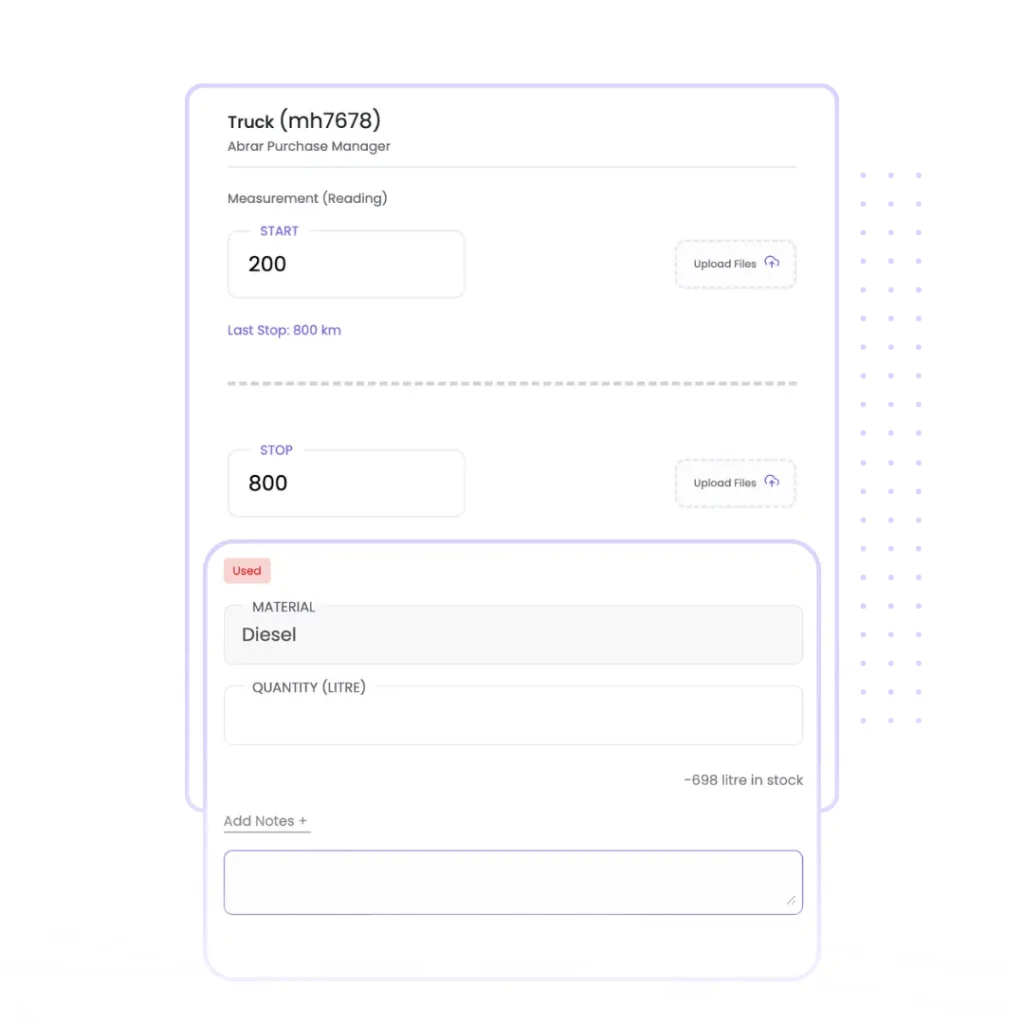
Keep record of how much diesel or petrol is being used every day and how many kilometers the machinery has been used. Maintain daily logs of fuel consumption, distance traveled, and hours operated for every piece of equipment. Onsite automatically flags unusual consumption patterns and allocates fuel costs to the correct project, helping you identify leakage and control one of construction’s biggest hidden expenses.
Add & Track Multiple Project Wise Equipments/Tools
You can add many equipment in the project and the data of all the equipment will be stored at one place. You can add equipment name, equipment number, whether it is rented or owned and if rented from what party. You can even upload images of the equipment while saving the details. This is how you can keep track and record of every equipment at one place.
Equipment & Fleet Tracking
Site 1 · Live · All owned + hired
12 active
₹7.6L/mo
JCB 3DX Backhoe
₹18,400/day
Active
Utilisation
88%
Tower Crane TC-48
₹32,000/day
Active
Utilisation
92%
Tipper Truck TN-04
₹8,200/day
Idle
Utilisation
31%
88%
Avg utilisation
₹7.6L
Monthly cost
0
Unaccounted hrs
Structured Equipment Requests and Allocation Control
Enable site teams to raise equipment reservation requests directly from the Onsite platform. Requests are mapped to project requirements and durations, allowing managers to approve and assign equipment with full visibility into availability and existing allocations. This ensures equipment is utilized efficiently and prevents conflicts or idle time caused by unplanned assignments.
Track Equipment Usage and Operating Hours Accurately
Maintain detailed usage records for every piece of equipment by tracking operating hours and usage entries at site level. These logs help teams understand actual utilization, identify underused assets, and plan maintenance activities based on real usage instead of assumptions.
Equipment Utilisation
12 machines
1 overdue
Total operating hours — this month
1,248h
4 sites · Jun 2024
Equipment log
Hours · Util · Maint.
JCB 3DX
Site 1 · 248 hrs since service
248h
88% util
Overdue
Tower Crane
Site 2 · 168 hrs since service
312h
94% util
Due soon
Tipper TN-04
Site 1 · 42 hrs since service
42h
31% util
OK
Concrete Pump
Site 3 · 84 hrs since service
186h
72% util
OK
82%
Avg utilisation
1
Maint. overdue
31%
Underused asset
Auto
Hours logged
Why Construction Equipment Management is Important?
Construction equipment management is filled with many factors that are needed to be considered like cost, use per day, fuel consumption, and usage. An unorganised construction equipment management can lead to many mishaps, but an organised equipment management helps you with a good life of equipment, saves you cost, avoids safety risks, and so on. Here are the benefits of structured construction equipment management
Improved Efficiency
To modernise the construction equipment management the project managers have adopted a modern way to handle equipment which is by using construction project management softwares like Onsite, Procore etc. So, by having an organised equipment management you can maximise the productivity of equipment. It also helps in avoiding overlaps and ensures when & where equipment is available.
Cost Saving
You can track your equipment and can get to know its fuel consumption. If it is consuming more than usual, then there must be some issue. Through deep monitoring you can fix the issue and save yourself from a long-term loss. Also, regular maintenance can identify and fix problems which also helps in expenses.
Safety Compliance
With the help of real-time updates, you can check how much work is being done every day by what equipment. By comparing the productivity, you can analyze which equipment is having problems. You can maintain your equipment accordingly. Well-maintained equipment reduces the risk of accidents and keeps you compliant with safety standards. Routine construction equipment maintenance and prompt heavy equipment repair keep machines operating longer and safer.
Rentals and Utilization
Construction companies often rely on equipment rental services for short-term needs. Whether it’s a boom lift, scissor lift, or heavy equipment rental, a strategy that ties rental periods to utilization helps reduce idle time and rental cost. Rental tools like excavators and cranes are essential additions during peak workload, but they must plug into your broader fleet strategy.
What Construction Companies Say About Onsite Construction Equipment Management Software
Customer Success Story
“
We had excavators sitting idle on one site while another site was hiring the same equipment from outside. Nobody had a clear picture of where our machines were or how many hours they were actually running. Hired equipment bills were coming in for days the machine was not even on site. Onsite gave us real-time visibility of every asset across all our projects. Equipment allocation now happens through the system, idle machines get redeployed before we rent additional ones, and hired equipment hours are verified before any bill gets approved.
★
★
★
★
★
✕ Before Onsite
No visibility on equipment location or idle status · Hiring outside while own assets sat unused · Hired equipment billed for days not on site
→
✓ After Onsite
Real-time asset visibility across all projects · Idle equipment redeployed before external hire · Hired hours verified before bill approval
Mr. Prashanth Kulkarni, Director Operations
Landmark Infra Projects · Infrastructure & Road Construction · Pune, Maharashtra
Additional Features That Strengthen Construction Equipment Management
Onsite provides supplementary asset tracking, cost reporting, and hire contract management capabilities that give project managers and finance teams complete visibility over equipment utilization and costs across all active projects.
Hire Contract and Expiry Tracking
Log hired equipment contracts with vendor details, rates, hire start date, and expected return date. Onsite flags contracts approaching their end date so project managers can plan returns or arrange replacements before the hire period lapses and late return penalties begin accumulating.
Equipment Availability Dashboard
View the deployment and availability status of every registered asset across all active projects from one consolidated dashboard. Project managers check availability before raising a hire request, identifying idle owned assets that can be redeployed without incurring additional hire costs.
Idle Asset Identification
Onsite flags equipment showing zero or low operating hours over a defined period while still allocated to a site. Idle asset alerts give management the information to redeploy underutilized machines to active projects before idle time converts into depreciation cost with zero return.
Equipment Cost Per Project Reporting
Generate project-level equipment cost reports showing owned asset depreciation, hired equipment costs, fuel consumption, and maintenance expenditure. These reports support project P&L analysis and give estimators verified cost-per-day benchmarks for each equipment category when building future project budgets.
Operator Assignment and Accountability
Assign a named operator to each equipment allocation, creating accountability for the machine’s condition and usage during that deployment period. Operator assignment records support condition assessments at equipment return and incident investigation when damage or fuel anomalies arise.
Equipment Document Repository
Store registration certificates, insurance documents, maintenance records, and hire agreements against each equipment record in Onsite. Documents are accessible on demand during government inspections, insurance claims, or vendor disputes without searching through physical files or email threads.
4 Tips to Improve Equipment Management on Construction Projects
Equipment cost control depends on accurate daily logging and consistent allocation discipline. These practices determine whether the system produces data useful for decisions or just a record nobody referenced until the overrun was complete.
Log Operating Hours Every Day, Not at the End of the Week
Weekly hour consolidation produces a number nobody can verify. A supervisor entering “220 hours for the week” is doing arithmetic from memory across seven days of shift changes, fuel top-ups, and unplanned downtime. Daily logging takes two minutes per machine and produces a record traceable to a specific date and shift. That accuracy matters most when hired equipment bills need to be verified line by line, which is exactly when weekly estimates become expensive.
Check Equipment Availability in Onsite Before Calling a Hire Vendor
The largest equipment cost saving Onsite enables comes from one habit: checking the availability dashboard before placing an external hire call. Project managers who call hire vendors by habit pay for equipment the company already owns on another site. Checking availability first and escalating to procurement only when the dashboard confirms nothing owned is available is a policy decision, not a system configuration. The system shows availability. Looking before calling is what converts into savings.
Set Maintenance Intervals by Operating Hours
A concrete pump serviced every 300 operating hours gets maintenance at the right time whether it runs eight hours a day or two. The same pump on a monthly calendar schedule gets serviced early on a slow site and late on a site running double shifts. Calendar schedules are convenient but wrong for equipment running at variable utilization rates. Configure Onsite maintenance intervals by operating hours from day one. The setup time is recovered the first time a service alert prevents a breakdown during an active pour.
Record Equipment Condition at Every Transfer Between Sites
Equipment that moves between sites without a condition record creates a dispute the moment the receiving site finds damage the sending site denies causing. Without a timestamped condition note and photos recorded in Onsite at transfer, the answer depends on who is more persuasive rather than what the record shows. Make condition documentation a mandatory step in every transfer. A two-minute entry at handover resolves what would otherwise be a weeks-long dispute between site managers.

Stop Paying Hired Equipment Bills Nobody Verified. Start Tracking Every Asset With Onsite.
Every construction company hiring equipment without an independent usage log is approving invoices on trust. Owned assets sitting idle while hire costs accumulate elsewhere is a problem that only becomes visible when someone builds a consolidated equipment view, which manual systems never produce. Onsite gives project managers live asset deployment status across every site and gives accounts teams verified usage logs to compare against every hired equipment invoice before payment. Check pricing or book a free demo today.
FAQs
What is Onsite construction equipment management software?
Onsite construction equipment management software is a digital asset tracking platform built for contractors, developers, and EPC firms to register owned and hired equipment, track allocation across project sites, log operating hours and fuel consumption, schedule preventive maintenance, and verify hired equipment bills against recorded usage before payment. It replaces verbal allocation, manual fuel registers, and calendar-based maintenance schedules with a connected system where every asset is accountable and every hired equipment invoice is validated before it is approved.
How does Onsite track where construction equipment is deployed across multiple sites?
Every piece of equipment registered in Onsite is allocated to a specific project, site, and operator with a start date and expected deployment duration. When equipment transfers between sites, the move is logged with the receiving site, handover date, and condition at transfer. Management views the current deployment status of every asset from the equipment dashboard: which site each machine is on, who is responsible for it, and whether it is active or idle, without calling site managers or checking a spreadsheet that may not reflect the current position.
How does Onsite verify hired equipment bills before payment?
When a hired equipment vendor submits an invoice, the accounts team compares the claimed hours or deployment days against the usage logs recorded by site teams during that billing period. Each day on the invoice is checked against the system log entry for that date. Days where the equipment was logged as idle or not on site are visible alongside the vendor’s claim. Discrepancies are flagged before the bill reaches payment approval and the vendor is contacted for correction. Payment is processed only for usage the site team independently recorded.
How does operating hour tracking work in Onsite?
Site supervisors log daily operating hours for each machine from the Onsite mobile app, recording hours run and the project or activity the machine supported. Entries take two to three minutes per machine and allocate usage costs to the correct project automatically. Cumulative hours build against each equipment record over time, producing the usage history that maintenance scheduling and hired bill verification both rely on. If hours are not logged for a day, that gap is visible in the record rather than absorbed into an averaged weekly total.
How does Onsite schedule preventive maintenance for construction equipment?
Maintenance intervals are configured per equipment type in Onsite based on operating hours, for example a service every 250 hours for a specific excavator model. As daily usage logs accumulate, Onsite calculates hours remaining until the next interval and alerts maintenance teams when the threshold is approaching. The team schedules the service before the interval is exceeded, avoiding breakdowns that occur when machines run past their service point under high utilization. Each completed service is logged with type, parts replaced, and cost, building a complete history over the equipment’s lifetime.
Can Onsite identify idle equipment that should be redeployed to active sites?
Yes. Onsite flags equipment showing zero or minimal operating hours over a defined period while still allocated to a project. These idle asset alerts appear on the equipment dashboard alongside current hire requests from other sites, giving management the information to redeploy owned assets before committing to an external hire. Identifying idle equipment and a site that needs it requires both facts visible at the same time. Onsite surfaces both in the same dashboard view so redeployment happens before hire costs are committed.
Can Onsite track both owned and hired equipment in the same system?
Yes. Owned and hired equipment are both registered in Onsite with their respective details. Owned assets carry depreciation rates and maintenance schedules, while hired assets carry vendor details, hire rates, contract start dates, and expected return dates. Management views both categories in the same equipment dashboard, with hire contract expiry dates flagged as they approach. This unified view makes idle asset identification and redeployment possible, because seeing that a company owns an idle machine at Site A while hiring the same equipment at Site B requires both to be in the same system.
How does Onsite track fuel consumption and flag unusual usage patterns?
Site teams log fuel consumption alongside daily operating hours in Onsite. The system calculates fuel consumed per operating hour and compares it against the machine’s baseline rate. Entries showing significantly higher consumption per hour than the baseline are flagged for review, indicating either a mechanical issue or a discrepancy in the reported hours that warrants investigation. Fuel cost is allocated to the correct project from each log entry, giving finance teams accurate per-project fuel expenditure without manual allocation at month end.
Can Onsite allocate equipment costs to specific projects and activities?
Yes. Every usage log entry in Onsite, covering operating hours, fuel consumed, and maintenance cost, is linked to a specific project and activity. Equipment costs accumulate against project budget lines automatically from logged usage, giving project managers live visibility into actual expenditure versus the budgeted allocation. Finance teams see equipment cost broken down by project, equipment type, and billing period without manual allocation from a consolidated fuel or maintenance bill. This visibility supports accurate project P&L reporting and equipment cost benchmarking for future estimates.
How quickly can a construction company start using Onsite construction equipment management software?
Construction companies typically go live with Onsite equipment management within one to two weeks of onboarding. Setup involves registering the equipment fleet, configuring cost rates and maintenance intervals, and training site supervisors on daily usage logging, all supported by the Onsite onboarding team. Most supervisors are comfortable with daily logging within the first three to four entries. Management sees live deployment and utilization data from the first day logs are submitted. Companies can start with their highest-cost or most actively hired equipment and expand to the full fleet as the process is established.