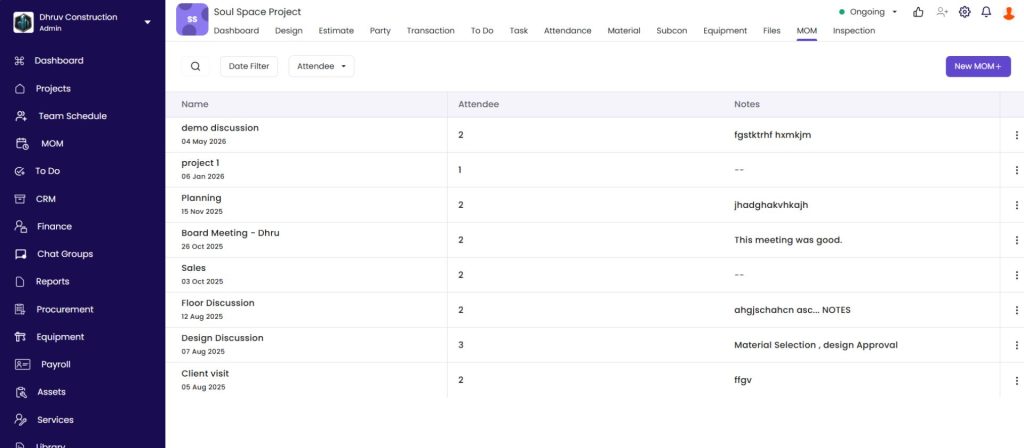
How to use the company-level MOM module — viewing, filtering, and creating Minutes of Meeting entries that span across all projects or are not tied to any specific project.
Click MOM in the left sidebar. This shows all meeting records across the company.
The MOM List
Column
What It Shows
Name
Meeting name and date
Attendee
Number of attendees
Project
Project the meeting was associated with (blank if not project-specific)
Notes
Summary of what was discussed
Filters
Filter
Options
Search
Search by meeting name
Project
Show only meetings linked to a specific project
Date Filter
All, Today, Last Week, Last Month, This Week, This Month, or Custom
Attendee
Show meetings attended by a specific person
Creating a New MOM
Click New MOM + in the top right.
Field
Required
What to Enter
Date
Yes
Auto-filled with today’s date
Meeting Name
Yes
A descriptive name (e.g. “Monthly Management Review”, “Cross-Project Design Meeting”)
Select Project
No
Leave blank for a company-wide meeting, or select a project to associate it
Attendee
No
Search and add attendees from the company team
Notes
No
Record agenda points, decisions, and action items
Attach Media
No
Upload photos, documents, or supporting files
Click Save.
Tips
Use company MOM for management-level reviews. Weekly or monthly reviews involving multiple projects should be logged here rather than inside one specific project.
Leave Project blank for general meetings. Board meetings, staff training, or all-hands discussions that are not tied to any project should be saved without selecting a project.
Use the Project filter to see all meetings associated with one project — including both company-level meetings linked to it and separate project-level MOM entries.
Use the Attendee filter to find all meetings a specific person attended and track the action items assigned to them across the company.
If Something Goes Wrong
Problem
Likely Cause
What to Do
Meeting not appearing in the list
Date or Project filter is active
Reset all filters to All
Attendee not found in search
Person not registered in the system
Confirm the person is added as a team member in Settings, then Roles and Access
Meetings missing for a specific project
Company MOM shows only meetings explicitly linked to the project
Also check inside the project’s own MOM tab for project-level entries