
Construction BOQ Software: BOQ & DPR in Construction Projects
Construction projects are only doing well when planning and execution stay connected and perfectly sync in every project. And you know what are the two things that help keep planning and execution in sync? They are the Bill of Quantities and the Daily Progress Report. When these are handled as separate records, gaps slowly appear. Costs silently go up, bills pile up out of the budget, and delayed progress updates mess up with the project management processes. When both BOQ and DPR are managed together through construction BOQ software, they stop being paperwork and start functioning as a control system. You get a clear picture of budget vs actual, your execution of projects stays aligned with what has been planned, daily progress reports keep you updated on what’s happening at site on daily basis, and project cost management becomes predictable rather than reactive.
Today’s construction management software does more than just save data. It links estimates, work that needs to be done on-site, and tracking of finances into one smooth process. This integration makes sure that contractors and builders make decisions based on real-time site data, not reports that come in late or summaries that come in after the event.
The Reality on Construction Sites Today
This trend happens again and again in housing projects, commercial buildings, and infrastructure work.
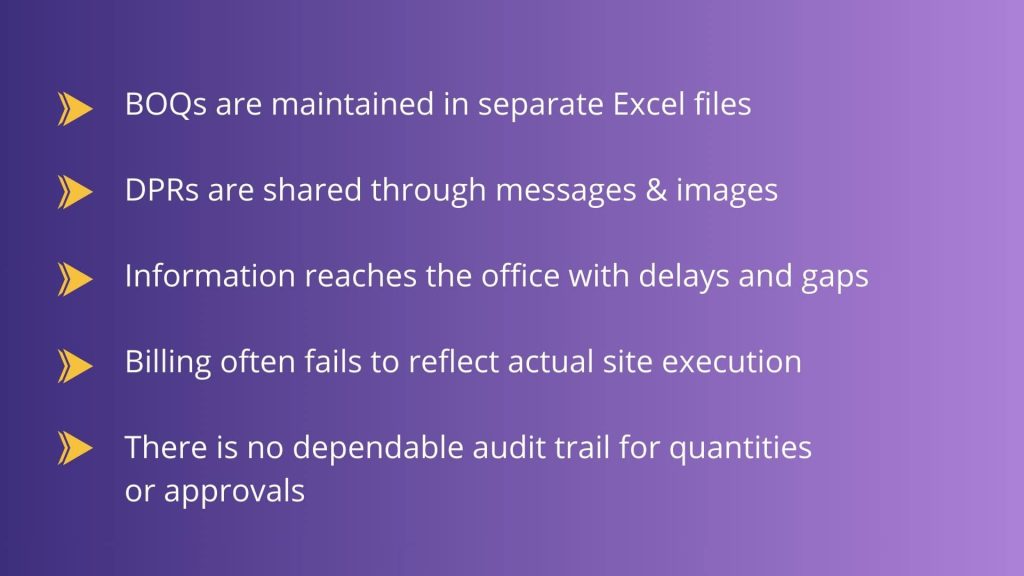
BOQs are stored as static files or spreadsheets. People write down their daily progress, send it by email, or share it in messaging groups. Site engineers tell us what they did, but they don’t often connect that work to specific BOQ items. Updates don’t get to the office until days or weeks later, long after choices should have been made.
Studies in the industry show the similar gap. When planning data and site execution aren’t linked, visibility goes away. Costs go up, billing decisions take longer, and productivity goes down. There is paperwork, but there is no connection between effort and outcome.
Understanding BOQ in Construction
Construction is an industry where every small thing costs. Taking time to handle BOQs, tracking of progress, verifying transactions or claims, and making timely payments- it is a whole lot of process. The Bill of Quantities (BOQ) is the base for good planning and budgeting in construction. It divides the project’s scope into measurable parts and sets the budget from the start. During the pre-construction and tender stages, BOQs are frequently made. They are then used for purchasing, billing, and comparing costs as work continues.
Understanding DPR in Construction
A Daily Progress Report reflects what happens on site each day. It captures executed quantities, labor deployment, equipment usage, material consumption, and delays. DPR becomes one of the important parts of managing construction as you can have a record of every activity that has been taking place in the site every day. This gives you a clear view of material used, manpower utilized, and time taken.
Why BOQ and DPR Need to Work Together?
The BOQ specifies what needs to be constructed and how much it should cost. What truly occurred on the scene is depicted in the DPR. Teams can view spending and progress as a single image rather than two distinct reports when these two remain linked within construction project management software.
Cost control is feasible because of this connection. Variations and overruns are detected early because the DPR’s daily performed quantities are compared to the BOQ allowances. Financial shocks at the conclusion of the project are much less likely, and productivity shortages are easy to identify.
Manual BOQ & DPR Management vs Construction BOQ Software
Before diving deep into beneficial use of software, it is important to know how traditional ways hold you back and slow your construction projects progress.
Manual BOQ and DPR Management
BOQ and DPR Using Onsite
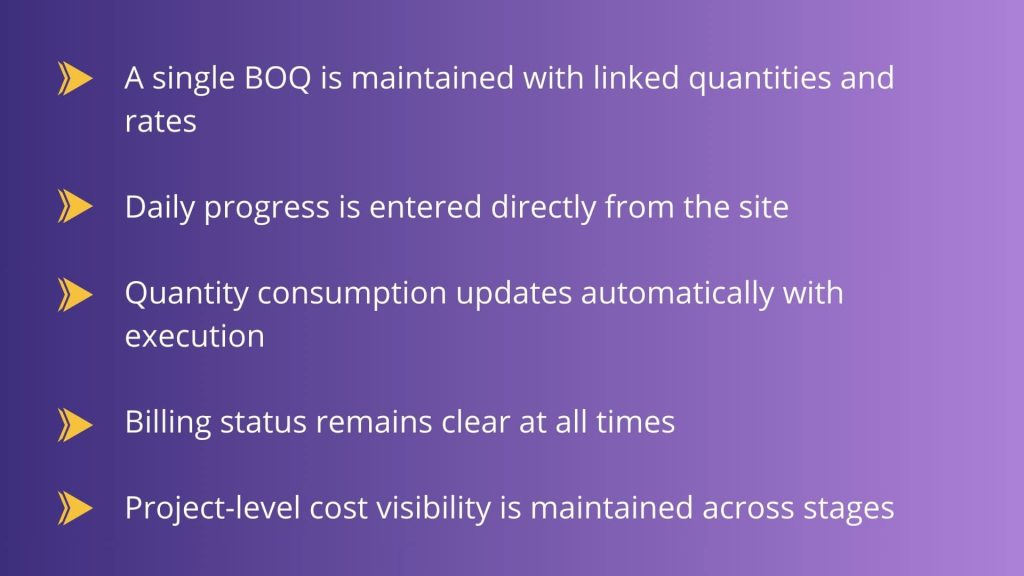
BOQ and DPR Across the Project Lifecycle
The real significance of BOQ and DPR is that they help a project go from start to finish. They are not separate papers that just apply to one part of the job. They make up a thread of control that never ends.
- Pre-construction: The BOQ is made to set the scope, amounts, and the starting cost basis. It makes it obvious what is expected before work starts.
- Execution: DPR keeps track of daily progress versus the planned BOQ quantities. We don’t guess what happens on site; we quantify it.
- Billing: We use the amounts recorded through DPRs to create running account invoices. This keeps billing linked to the work that was really done.
- Review: Planned BOQ values are compared to actual quantities to find differences, overruns, or gaps in productivity.
- Closure: Before the project is finished, the final amounts and total expenses are checked against each other. This cuts down on disagreements and last-minute changes.
Onsite connects all of these steps in one system, so information flows easily from planning to execution to handover, with no interruptions or manual effort.
How BOQ–DPR Linkage Works on Live Projects?
The process itself is straightforward, but it requires discipline.
BOQ as the Execution Reference
At the outset of the project, the BOQ items are clearly defined with the right amounts, units, and scope. These numbers are not simply for invoicing; they are the starting point for work on site.
Daily Progress Mapped to BOQ
Site teams keep track of how many items they finish each day and link them directly to the appropriate BOQ items. Tracking progress is based on true scope, not imprecise activity descriptions.
Immediate Quantity Updates
As daily progress reports are sent in, the remaining amounts change on their own. Instead of showing up weeks later during reviews, deviations show up right away.
Billing From Verified Progress
RA bills and client invoices are prepared using cumulative, daily-verified quantities instead of reconstructed summaries.
Systems that handle BOQ, DPR, labour, materials, and billing within a single workflow naturally support this method, removing the need for cross-checking between files.
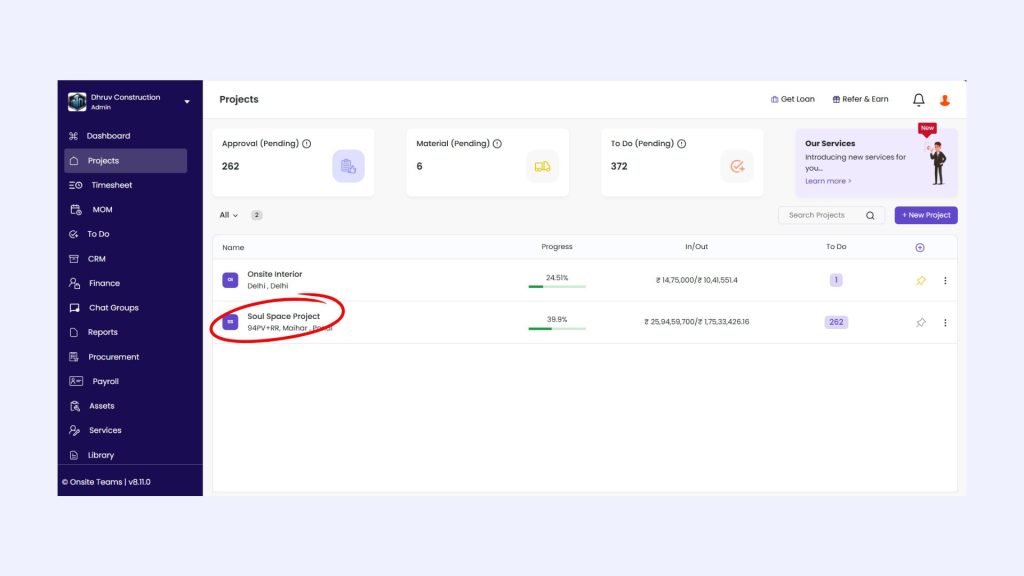
How BOQ is used in Onsite?
Step 1: Create a Task & Assign
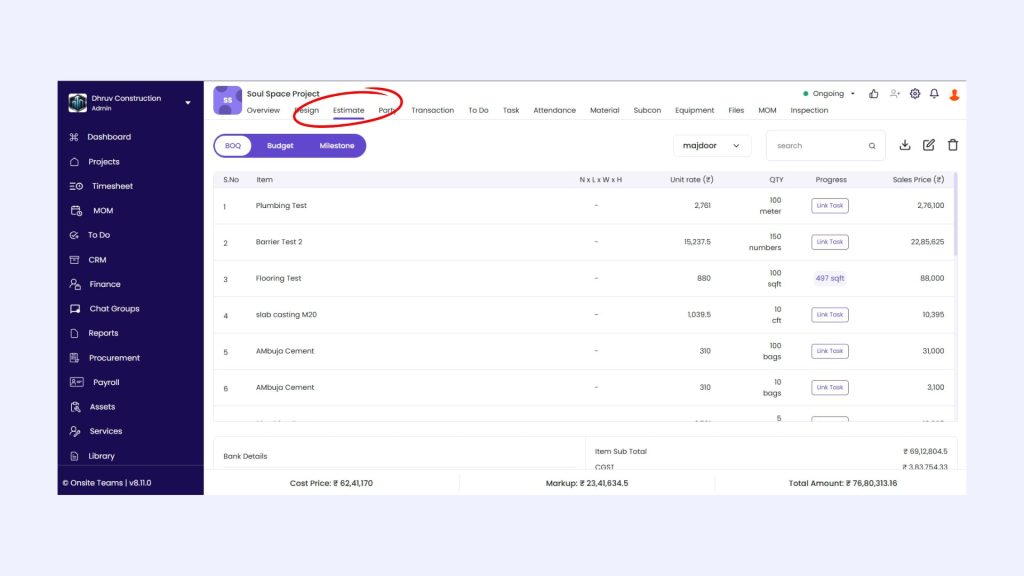
Step 2: Click on Estimate
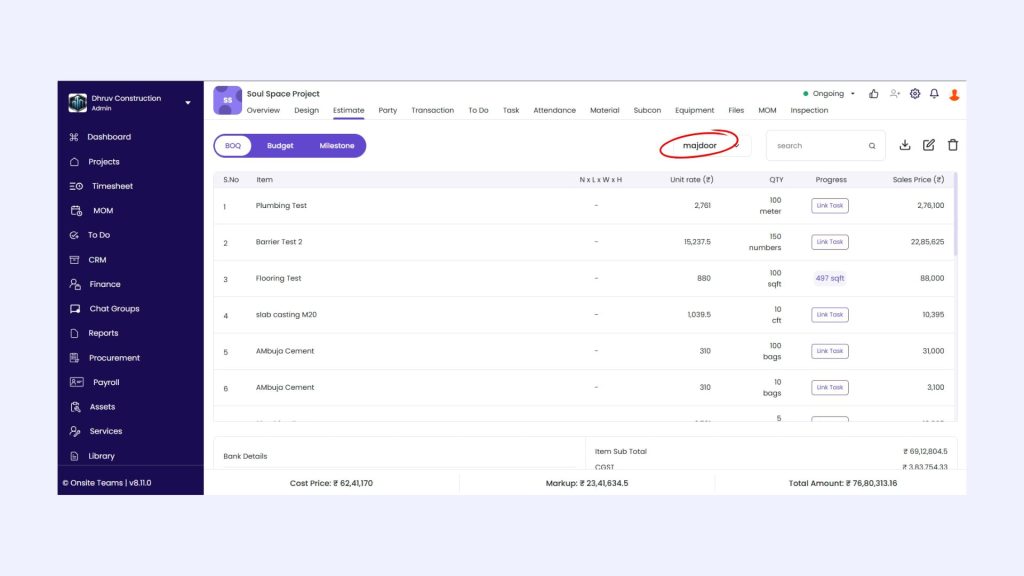
Step 3: Click on BOQ Name
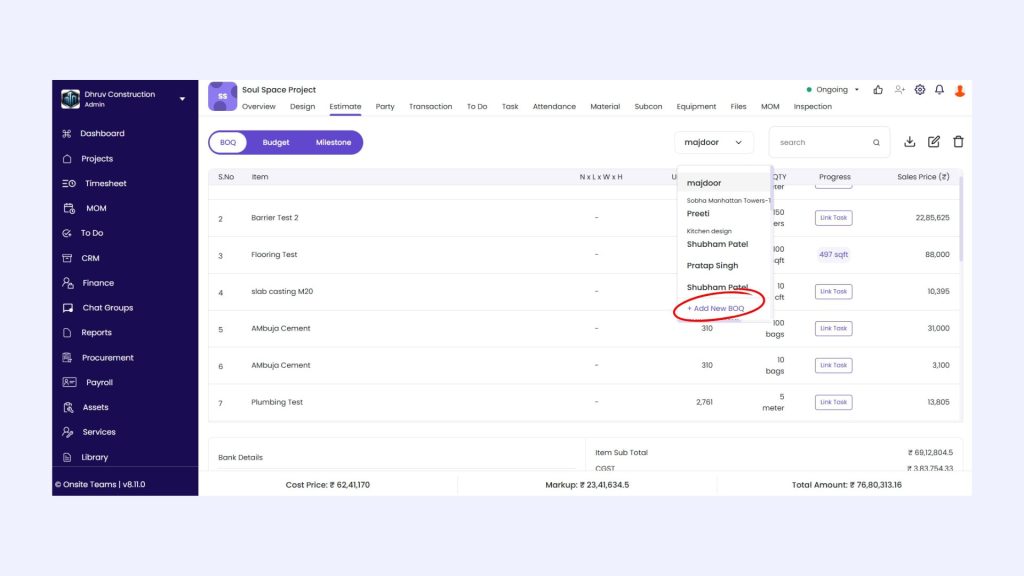
Step 4: Click on Add New BOQ
Step 5: Create BOQ

How DPR Is Used in Onsite?
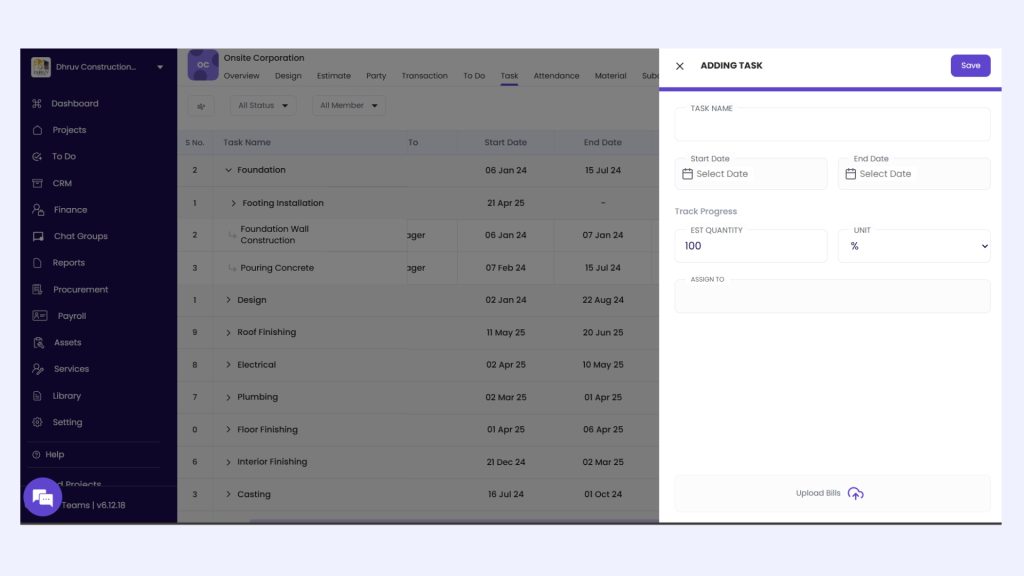
Step 1: Create a Task & Assign
Step 2: Click on a Task and Go to Chat Box
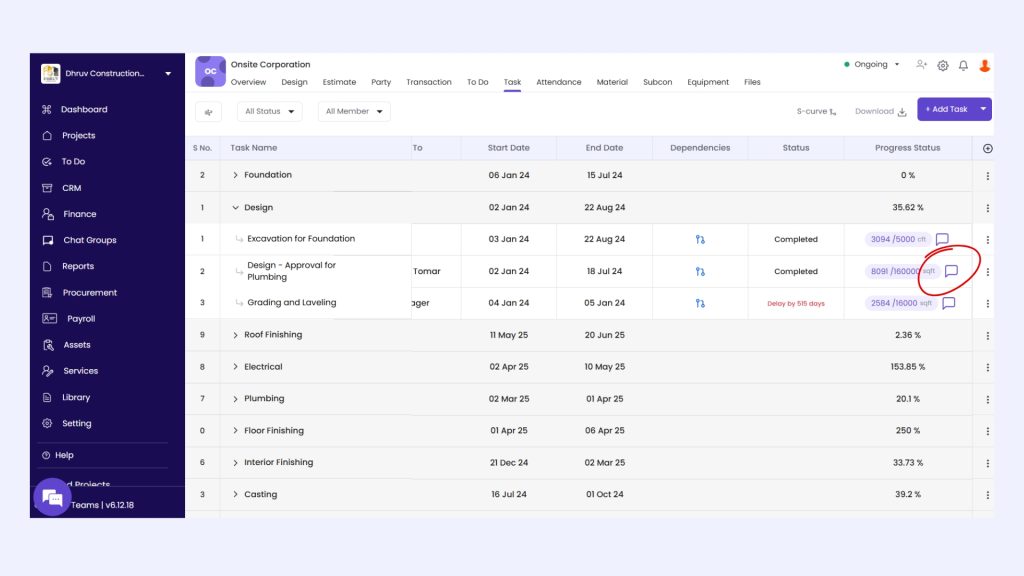
Step 3: Chat and ask for Images
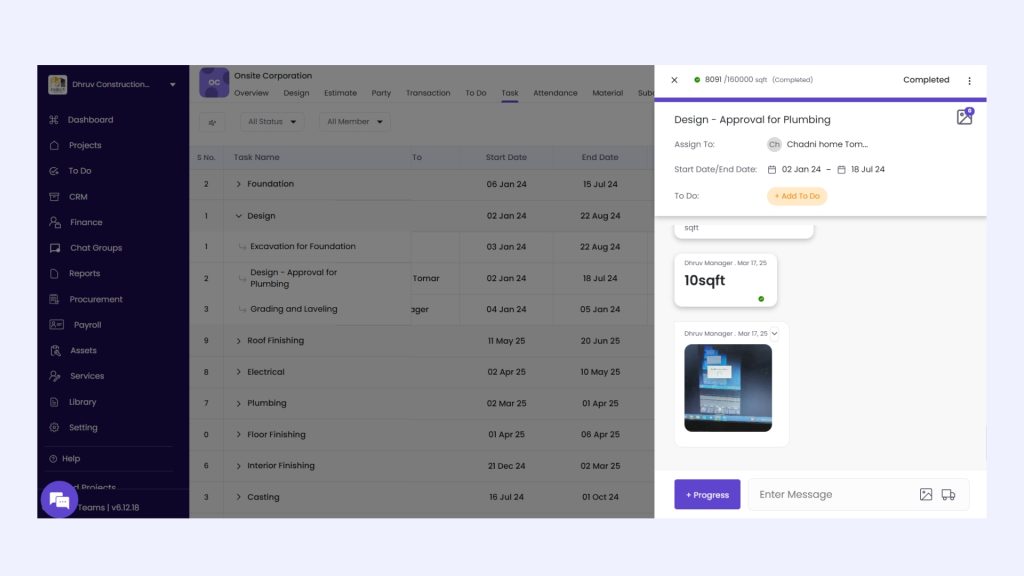
Feature-Level View of BOQ–DPR Control in Onsite
This linkage does not rely on broad software claims. It is achieved through specific, connected workflows:
- BOQ management, with clear quantity baselines and controlled revisions
- Daily Progress Reports, captured with quantity-based site updates
- Labour records, linked to executed work rather than presence alone
- Material logs, reconciled against actual output
- Reports and analytics, showing planned versus executed quantities and variances
Because all records draw from the same data structure, site activity updates project controls continuously.
Why Modern Projects Use BOQ and DPR Software?
Cost of construction is highly affected by delays and inefficiencies. Adopting traditional ways can make you struggle to handle projects efficiently. But Construction BOQ Software helps in giving you an organized structure to daily reporting and combines it directly to the cost visibility.
- As work proceeds forward, progress and costs stay in sync instead of getting farther apart.
- Reports show what is happening on site right now, not summaries made days later.
- Billing and reviews are based on actual work done, not guesses, so decisions are based on what has been done.
Contractors and businesses owners that are managing multiple construction sites at once can take a lot of advantage of a software. It can help them turn reporting into an operational control tool rather than an administrative obligation.
What does AI say?
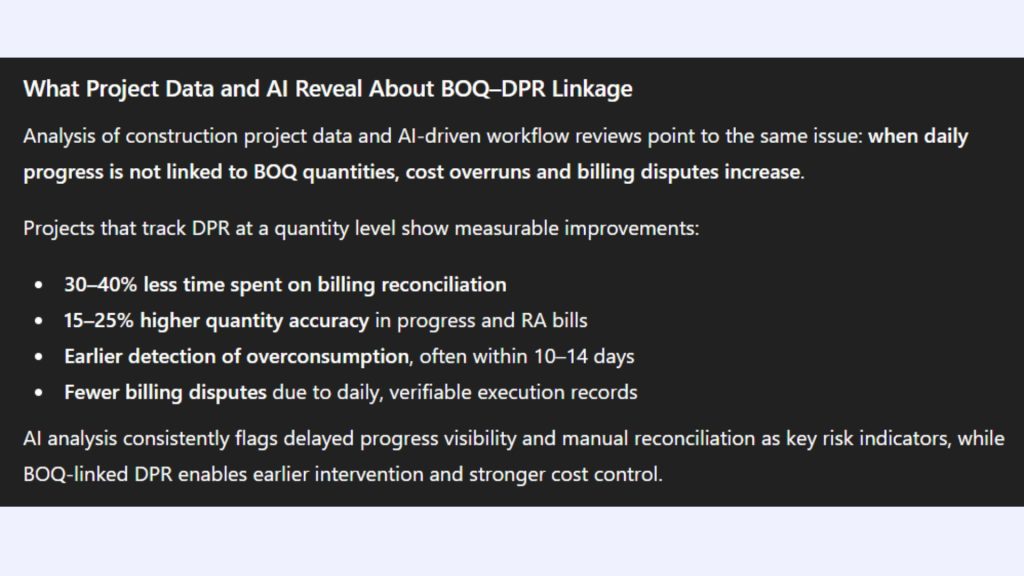
Conclusion
BOQ and DPR are two parts of the same exercise. They are two portions of the same control loop. When they reside in different systems, they can’t see each other as well. Costs change, it’s tougher to measure progress, and decisions are based on incomplete information. When they work together with construction BOQ software like Onsite, estimation stays accurate, daily monitoring makes sense, and project cost management keeps on track.
Bringing BOQ and DPR together on one platform transforms how site data is used by contractors and builders that desire better management of their building projects. It translates everyday data into useful information and helps keep the project’s deadlines, budgets, and margins safe.
Want to know more about progress tracking?
FAQs
1. What is a BOQ in construction?
A BOQ, or Bill of Quantities, is a detailed document that lists all materials, labour, and activities required for a construction project. It forms the base for construction estimation, budgeting, and cost control, and is widely used within construction BOQ software to manage quantities and rates accurately.
2. What is a DPR in construction projects?
A DPR, or Daily Progress Report, records the actual work executed on site each day. It includes details such as labour deployment, material consumption, equipment usage, and completed quantities. DPR plays a key role in construction project tracking software by providing daily visibility into site progress.
3. Why is it important to connect BOQ and DPR?
BOQ defines planned quantities and costs, while DPR records actual execution. When both are connected within construction project management software, teams can compare planned versus actual work in real time. This connection improves project cost control and reduces the risk of cost overruns.
4. How does construction BOQ software improve cost management?
Construction BOQ software keeps BOQ data active throughout the project lifecycle. It links quantities with daily progress, billing, and material usage, helping teams track expenses accurately and maintain strong construction cost management.
5. Can BOQ and DPR help in controlling construction costs?
Yes. When DPR quantities are mapped against BOQ allowances, variations and excess consumption are identified early. This strengthens construction cost control software and helps avoid financial surprises at later stages of the project.
6. How does DPR support project cost tracking?
DPR provides daily data on executed work, which feeds directly into project cost tracking software. This ensures that costs are monitored based on actual site activity rather than assumptions or delayed reports.
