
Use Onsite to Catch Cost Leakages in your Construction Projects
Every single penny in construction projects counts and even small inefficiencies lead to huge losses. If you do not want to drain your profit, then digitize your construction projects. Onsite is here to provide you just that. Many teams don’t realize where money is slipping because they lack proper project cost tracking. Want to get clear visibility in your construction projects? Let’s get to know how Onsite helps.
How Onsite Helps You with Project Cost Tracking in your Construction Projects?
1. Track Every Material That Enters or Leaves Site
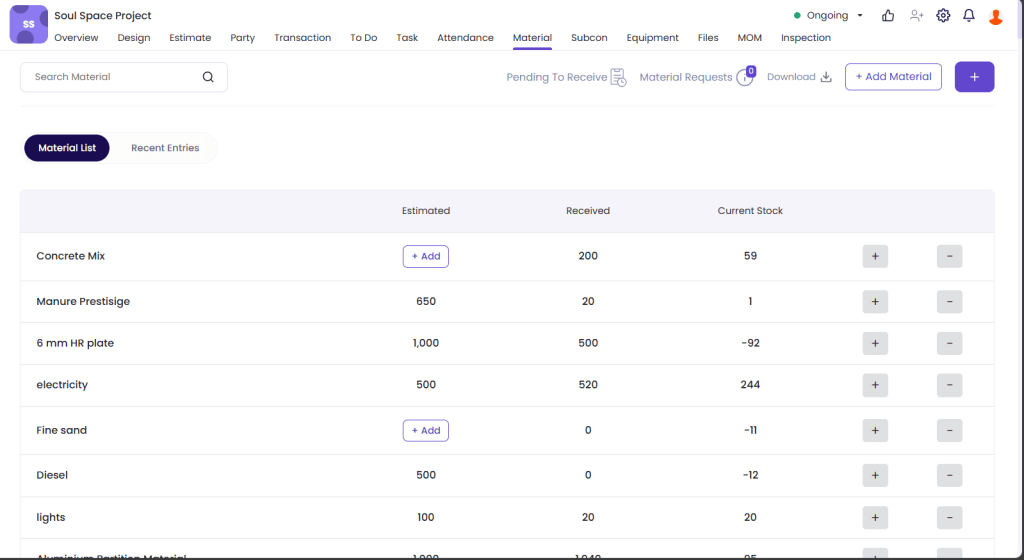
Want to keep track of every single material that enters and leaves the site? Onsite is here to help to save material cost of your construction projects. Monitor PO, delivery, and usage at one platform. Know what material was ordered and what was delivered. Know how much of the material is being used on a daily basis. Also, get to know about all the unbilled materials. This ensures no cement, steel, or tile slips through the cracks unrecorded.
2. Monitor Labor & Attendance Daily
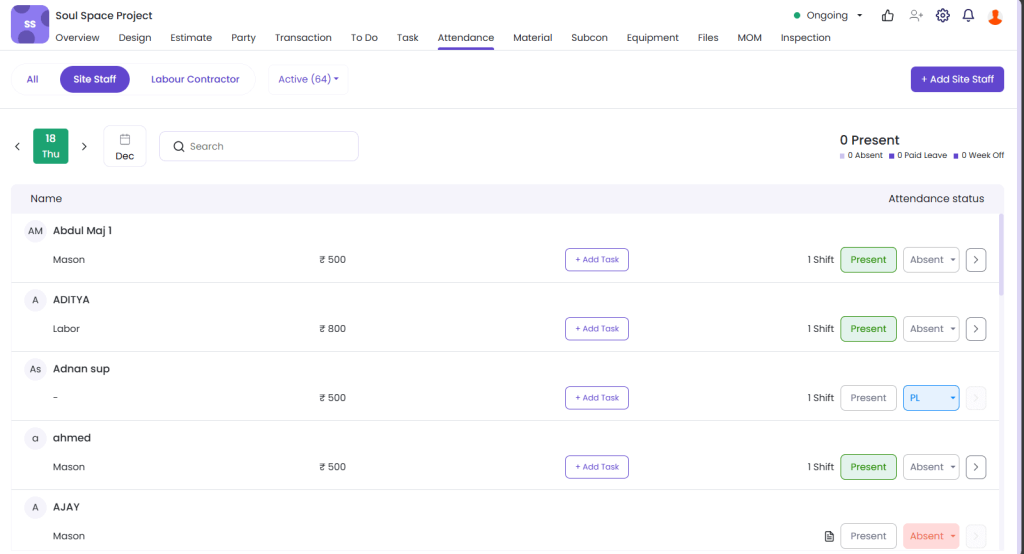
Labor mismanagement is one of the biggest sources of cost overrun. With Onsite, you can track attendance of labor every day, make them punch in and out for GPS base location, log overtime, and pay for the hours they have worked for. By accurate shift hours, you will not be tricked, and you can know that the labor is at site. Now, you’ll only pay for the labor that actually worked.
3. Catch Billing Errors with Subcontractors
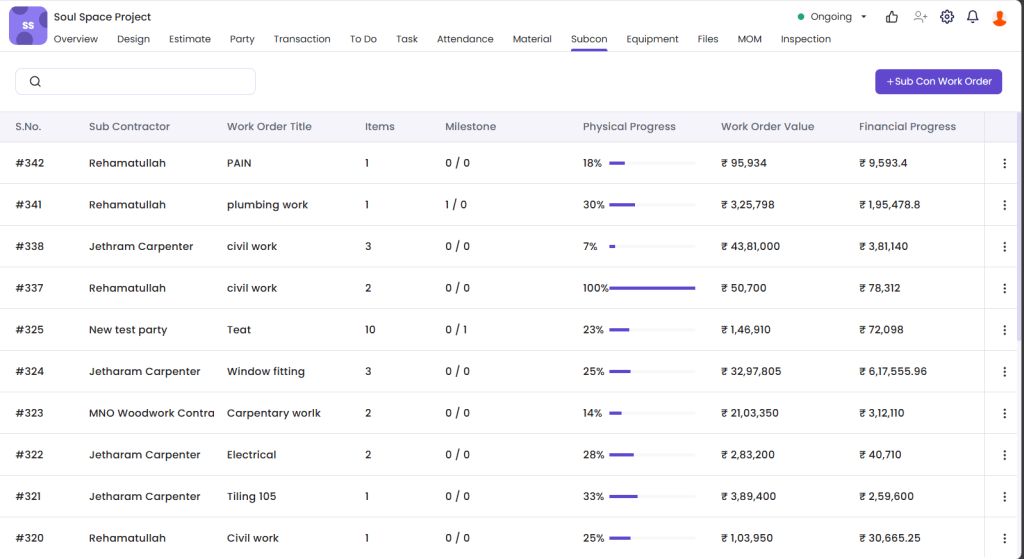
Whether it’s RA bills, BOQ mismatches, or extra claims, subcontractor billing can be tricky. With Onsite, you can just move to the subcontractor section and create a work order. Inside the work order you can add material items to be used in the particular work order. You can also check the work progress updated by Subcontractor every day. Onsite auto-calculates bills based on completed work and tracks any material or labor deductions transparently. From material used to everyday progress, you can look deeply into productivity and activities. This helps in catching billing errors and helps you save money.
4. Get One-Click Reports on Project Expenses
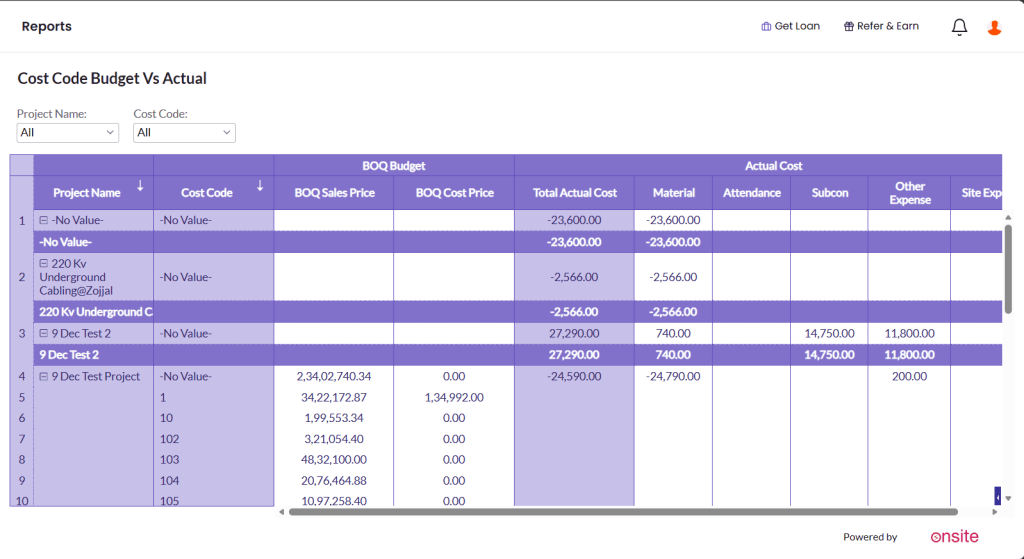
If you are someone who makes decisions for the expenses of your project then you must be a company owner, account head or project manager. This feature is made exactly for positions like you. You can just get a report and quickly go through it. This way you can analyze the expenses and take decisions to control the expense flow. You can act quickly, prevent overspending, and even identify leakages in real-time.
5. Track Unbilled Items
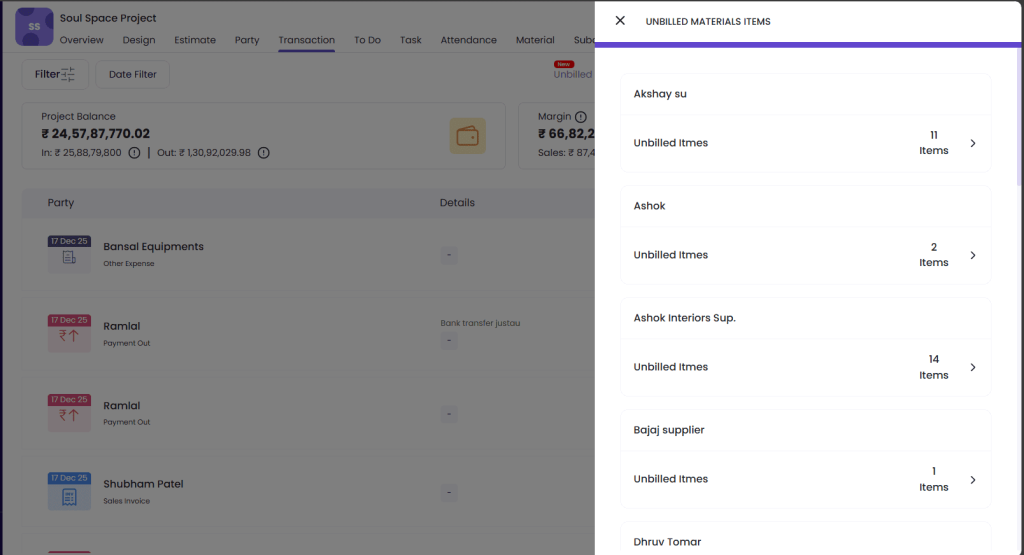
There are often times when materials are available in your warehouse but haven’t been billed yet. To help with this, a dedicated button next to the transactions section lets you quickly view all unbilled materials. This feature keeps you informed and ensures nothing misses out. By staying updated on unbilled items, you can avoid revenue leaks, streamline your billing process, and maintain better control over your project finances. Teams using structured project cost tracking software identify leakages early.
Conclusion
With the help of Onsite‘s cost saving features, you can save up to 20% in your construction projects costs and you can have 50% faster billing cycles. So, if you want to save project costs and get more cost transparency in your projects, Onsite is the option for you. Use Onsite as your construction project cost management software to catch leakages before they impact profitability.
Want to manage your budget and save construction project cost?
FAQs
1. How does construction cost management software help catch cost leakages?
Construction cost management software organizes costs in one system, making it easier to spot discrepancies and prevent unplanned expenses from slipping through the cracks.
2. What role does construction cost tracking software play in controlling expenses?
Construction cost tracking software logs actual spend against budget, giving visibility into where money is going so cost leakages can be detected early.
3. Can project cost tracking reduce unexpected overruns on construction work?
Yes. Project cost tracking compares ongoing expenses with planned costs, helping teams identify overruns and adjust before they become larger financial issues.
4. How does using project cost control software improve decision-making?
Project cost control software brings real-time cost data into one view, enabling managers to make informed decisions and stop excess spending before it impacts profitability.
5. Is cost control important for managing construction budgets?
Absolutely. Strong cost control ensures every expense is accounted for and aligned with the construction budget, reducing chances of hidden leakages.
6. Does expense tracking software support daily financial visibility on site?
Yes. Expense tracking software captures daily costs as they occur, helping supervisors and project managers keep an accurate and up-to-date financial picture.
7. How does project cost management software support multiple cost categories?
Project cost management software lets teams categorize and compare costs across labour, materials, and subcontractors, making it easier to isolate and fix cost leakages.
8. Can construction project cost management software help improve overall project profitability?
Yes. By tracking all costs, detecting leakages early, and enforcing budget discipline, construction project cost management software supports better financial outcomes.
