
Construction Scheduling Software
Construction Scheduling Software Built for Daily Execution
Construction teams lose weeks to delays that were visible on site days before anyone reported them. Site engineers send DPRs through WhatsApp, photos arrive without timestamps, and project managers make decisions on outdated summaries. Onsite construction progress tracking software captures daily work records, geo-tagged photos, and executed quantities from the field and puts verified progress data in front of management the moment it is recorded.

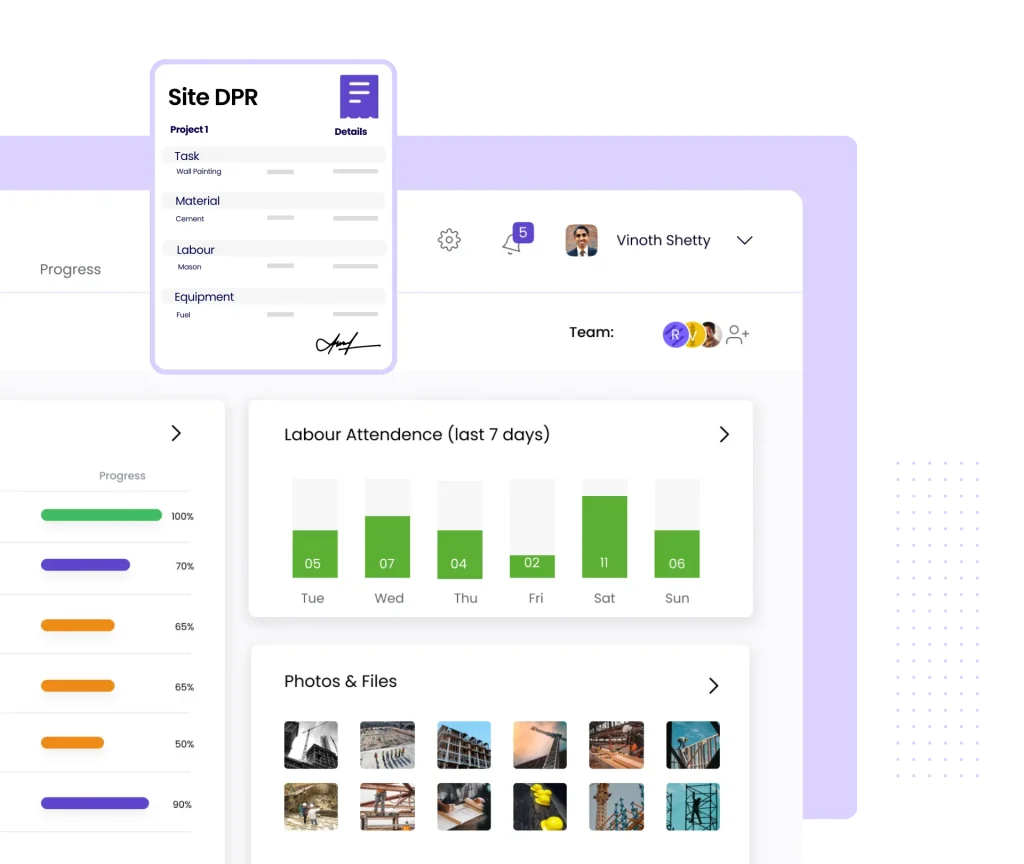
Record DPRs with activity-wise work done, manpower, and daily remarks from mobile
Capture geo-tagged, timestamped photos as proof of site progress
Compare planned versus actual progress across multiple sites in real time
Trusted by 10,000+ Construction Companies Worldwide
Construction teams plan activities, track progress, and stay ahead of delays with Onsite construction planning software.

Built for Construction Teams That Need Daily Visibility Into Site Progress
Onsite construction progress tracking software serves every team that runs multiple sites, manages subcontractors on the field, or needs verified data before approving milestone payments.
01
Contractors and Developers
Contractors running residential, commercial, or mixed-use projects deal with daily site activity across floors, blocks, and work packages at the same time. Without structured DPR recording, progress stays invisible until deadlines are missed. Onsite gives site engineers a fast mobile entry point for daily work records and gives project managers a consolidated view of actual versus planned completion for every active project without waiting for WhatsApp messages or compiling files manually.
02
Infra and EPC Companies
Infrastructure and EPC firms measure progress in quantities cubic metres of concrete poured, metres of pipe laid, square metres of blacktop completed. Verbal updates and rough estimates cause billing disputes and milestone delays. Onsite captures measurement-based progress per activity, links executed quantities to milestones, and gives management verifiable data for client reporting and contractor bill validation without relying on site visits or follow-up calls.
03
Interior and Fit-Out Firms
Interior companies manage high-frequency task execution across multiple trades civil, MEP, joinery, and finishing often running in overlapping sequences across floors and zones. Tracking daily completion without a structured system leads to coordination failures and rework. Onsite records task-wise progress by trade and location, surfaces incomplete work before handover, and shows project managers exactly what is done and what remains at any point during execution.
04
PMC and Project Consultants
Project management consultants oversee execution across client projects they do not directly control, making reliable site data essential for every review meeting and milestone certification. Onsite gives PMC teams standardized daily reports, photo documentation with location stamps, and cross-project dashboards that support confident progress certification and client communication without chasing individual site teams.
From Daily Field Entries to Management Dashboards Without Manual Compilation
Onsite connects field recording, photo verification, quantity tracking, and consolidated reporting in one workflow so progress data moves from site to management without delays, errors, or missing context.
Track Daily Work With Total Accuracy
Site engineers record daily progress directly from the Onsite mobile app selecting activities, entering quantities completed, logging manpower deployed, and adding remarks for issues or delays. Each DPR entry carries the engineer’s name, timestamp, and site location, creating a reliable execution record that management can review in real time. This replaces informal WhatsApp reporting with structured data that stays consistent, searchable, and available for milestone verification, client reporting, and contractor billing with no manual compilation effort required from the office team.
Verify Site Progress With Photos and Measurements
Every photo captured through Onsite carries GPS coordinates and a timestamp, creating proof that work was completed at a specific location on a specific date. Site teams attach photos to DPR entries, link them to activities, and record executed quantities cubic metres of concrete, square metres of plastering, linear metres of pipe alongside each entry. This measurement-backed evidence removes the disputes that arise when subcontractors submit bills for work that nobody in the office can independently verify.
Identify Delays Before They Escalate
Onsite compares planned progress against recorded actuals at activity level, flagging tasks that are falling behind before they affect dependent work or milestone deadlines. Project managers view productivity trends, slow activities, and risk alerts on a live dashboard without waiting for weekly reports. Early visibility allows intervention while recovery is still possible: additional resources, revised sequencing, or a client conversation before the delay compounds. Teams managing three or more active sites see consolidated progress in one view, without calling site supervisors or pulling individual files.
Generate Consolidated Reports for Management and Clients
Onsite compiles all daily DPR entries, photos, measurements, and milestone data into formatted reports that project managers can share with clients, consultants, or senior management. Reports reflect the same data field teams recorded — no reformatting, no summarizing, no editing. Clients get consistent, photo-backed progress updates that match on-site reality. Review cycles shorten. Site engineers stop preparing separate documents after a full day of fieldwork. The reporting happens as a byproduct of the tracking, not as additional work on top of it.
Why Construction Progress Tracking Fails Without a Structured System?
These failures are not caused by careless site teams. They happen because most tracking systems were never designed to capture, verify, or consolidate daily site data at the pace construction projects demand.
Scattered DPRs With No Reliable Record
Most construction companies collect daily progress through WhatsApp messages, Excel files, or handwritten registers. Each site engineer uses a different format. Some send photos without activity context; others summarize a full day in a single line. When project managers need to verify what happened on a specific date or justify a milestone claim to a client, they find inconsistent entries, missing figures, and no central record. The information exist spread across dozens of message threads but it cannot be assembled into anything reliable or defensible when it matters.
Unverified Progress Leads to Billing Disputes
Subcontractor bills often claim completion percentages that site teams cannot verify because daily quantities were never recorded against assigned work. Without activity-level quantity tracking, the only options are a site visit or verbal confirmation neither of which creates an auditable record. Billing approvals happen based on estimates rather than documented execution. Over time, payments exceed actual completion, project closure gets delayed, & retained amounts become contentious because there is no measurement trail to refer back to when dispute reaches a senior review.
Delays Found After They Cannot Be Recovered
When DPRs arrive days after site activity occurs, project managers read history rather than seeing a live picture. By the time a delay appears in a weekly report, the window for correction has closed. Dependent activities have started on assumed progress. Procurement decisions were made without accurate activity status. The delay compounds instead of being contained. Construction projects lose weeks not because delays happen, they always do, but because the detection lag makes recovery impossible by the time anyone in management knows a problem exists.
No Cross-Site Visibility for Multi-Project Teams
Companies running three or more simultaneous projects have no reliable way to compare progress across sites when each project tracks data differently. Site managers call project managers, who call site engineers, who check their own records and report back verbally. By the time a portfolio-level picture is assembled, it reflects yesterday’s situation in today’s meeting. Senior management allocates resources and makes cash flow decisions without knowing which sites are on track and which are accumulating delays that will surface as visible crises only after the recovery window has passed.
How Onsite Helps in Construction Progress Tracking
New DPR Entry
Floor 16
VK
Vikram K. · Site Engineer
Activity
Concrete Pour — Slab S3
Qty Completed
6.0 m³
Manpower
18 labourers
Remarks
Pour complete, curing started
Submit DPR →
Entries today
Field → Office
Concrete pour — S3
2m
Rebar — Beam B14
14m
Delay — East wall
41m
248
On-site today
12/14
Tasks done
14 days
History kept
Daily Progress Report Capture and Management
Site engineers submit DPRs from the Onsite mobile app by selecting activities from a predefined list, entering quantities completed, recording manpower deployed, and adding site remarks. Every entry is timestamped and attributed to the engineer who submitted it, creating an accountable record that management can review in real time. Project managers configure activity lists per project so entries stay consistent across engineers and sites. DPRs are stored centrally, searchable by date, activity, or site, and available for export at any time without manual reformatting or data loss.
Submit structured DPRs from mobile with activity, quantity, manpower, and remarks
Store DPR entries centrally with engineer attribution and automatic timestamps
Search and retrieve DPR history by date, site, or activity for any project
Geo-Tagged Photo and Quantity Documentation
Every photo captured through Onsite embeds GPS coordinates and a timestamp at the moment of capture, creating verifiable evidence of work completed at a specific location. Site teams attach photos to activity entries and record executed quantities alongside each image the double-layer documentation that subcontractor billing validation, milestone certification, and client reporting all require. Management reviews photo evidence before approving milestone progress without travelling to site. This photo and measurement record serves as the primary reference during billing disputes, client inspections, and project handover reviews.
18 photos today
GPS
09:41 AM
✓ Milestone
GPS
10:18 AM
Pending
GPS
11:05 AM
Pending
All photos GPS-verified
Timestamp · Location · Activity-linked
100%
Stamped
18
GPS photos today
3
Activities logged
0
Disputes open
Progress Tracking
Live
54%
Avg completion · 3 sites
Actual
Planned
3 sites monitored
Whitefield
76% actual
Plan 74%
+2%
Koramangala
55% actual
Plan 63%
−8%
HSR Finishing
30% actual
Plan 48%
−18%
Planned vs Actual Progress Dashboard
Onsite calculates completion percentage per activity by comparing recorded quantities against the planned scope defined at project setup. Project managers view planned versus actual progress on a dashboard that updates as field entries arrive — not once a week when reports are compiled. Activities falling behind schedule appear with deviation indicators so project managers can investigate causes and take corrective action before delays affect dependent work or client milestones. Companies managing multiple sites view cross-project progress in one consolidated dashboard without switching between files or requesting updates from each site team.
View planned versus actual completion per activity updated from live field entries
Identify delayed activities with deviation indicators before milestone deadlines are missed
Monitor cross-site progress for all active projects from one consolidated dashboard
How Onsite Simplifies Daily Progress Tracking for Construction Teams?
Most progress tracking failures happen between the field and the office where data gets lost, delayed, or distorted before it reaches the people who need to act on it. Onsite closes that gap at every step.
01
Configure Activities and Planned Quantities at Project Start
Before the first DPR is submitted, project managers set up the activity list, planned quantities, and milestone schedule for each project in Onsite. This replaces the informal verbal briefings that typically define what site engineers should report. Every activity that matters to project completion and billing is pre-defined, so engineers select from a consistent list rather than describing work in their own words. This single setup step ensures that every DPR submitted for the life of the project stays comparable, searchable, and linked to the same baseline plan making variance analysis possible at any point.
02
Site Engineers Submit DPRs and Photos From the Field
Each day, site engineers open the Onsite mobile app, select the activities completed, enter quantities, log manpower, and capture geo-tagged photos before leaving the site. The entire process takes under five minutes per activity entry and works without an internet connection entries sync when connectivity is restored. Engineers no longer compile separate reports after hours or send informal WhatsApp updates to multiple recipients. Every entry reaches the management dashboard the moment it syncs, removing the lag between work completion and management awareness that makes delayed intervention the norm.
03
Office Teams Verify Progress and Approve Milestones
As DPR entries arrive, project managers review them against planned quantities, check photo evidence, and track cumulative completion per activity. When a milestone completion percentage is reached, managers verify the evidence before certifying it for billing or client reporting without a site visit or an additional email exchange. Subcontractor bills linked to milestone completion get reviewed against the same progress record that field teams submitted, which makes overbilling far harder to process without detection. Every approval decision rests on site-recorded data rather than a supervisor’s estimate.
04
Management Tracks Cross-Site Performance and Acts Early
Senior management and project directors view portfolio-level dashboards showing actual versus planned progress across all active sites, updated from live field data. Sites falling behind schedule appear with deviation indicators alongside the specific activities causing the delay. This picture allows resource reallocation, contractor escalation, or client communication while recovery is still possible — not after a weekly report reveals a problem that has been building for days. Management decisions stay grounded in what the field actually recorded, not what someone on a call believed to be true.
What Construction Companies Say About
Onsite Construction Project Planning Software?
Construction companies across India and the Middle East use Onsite to replace disconnected planning tools with a
live construction schedule that site teams actually update.
Customer Success Story
“
We were running three sites at once and every project manager was sending progress updates over WhatsApp on Friday evenings. By the time we had a clear picture it was already the next week. With Onsite, I can see planned versus actual completion for every site the moment a DPR is submitted. We caught a finishing works delay at one site in week three that would have cost us four weeks at the end.
4 weeks
Of project delay avoided by catching a deviation early in execution
★
★
★
★
★
✕ Before Onsite
Progress updates arriving over WhatsApp every Friday · No real-time view across sites · Delays visible only after they had already escalated
→
✓ After Onsite
Planned vs actual visible the moment a DPR is submitted · Cross-site progress in one dashboard · Deviations caught in week three, not at handover
Mr. Rajesh Nair, Director
Cornerstone Project Solutions · Residential and Commercial Construction · Pune, India
Additional Features That Strengthen Construction Progress Tracking
Onsite provides supplementary tracking, reporting, and communication capabilities that keep field teams, project managers, and clients aligned throughout project execution.
Activity-Wise Progress History
Review the complete progress history for any activity across the full project duration. See how quantities were recorded day by day, identify periods of low productivity, and compare execution pace against the original plan. This history supports project review meetings, client reporting, and post-project analysis without rebuilding data from scattered files or memory.
Issue and Delay Flagging
Site engineers flag delays, material shortages, or execution blockers directly in the DPR entry at the moment the issue occurs. Each flag carries a timestamp, description, and responsible party. Project managers get immediate visibility into site problems and track resolution status without waiting for a separate phone call or message thread.
Manpower Productivity Tracking
Record the number of workers deployed per activity each day alongside the quantities completed. This data produces productivity benchmarks output per worker per day that project managers use to forecast completion dates, identify under-performing activities, and justify resource additions when schedules are at risk.
Milestone Completion Certification
Define project milestones with completion criteria and link them to cumulative activity quantities. Onsite calculates milestone readiness automatically as DPR entries accumulate. Project managers certify milestone completion within the platform, creating a timestamped, evidence-backed record that serves as the basis for client invoicing and subcontractor payment approval.
Client Progress Report Sharing
Generate formatted progress reports from recorded DPR data and share them with clients or consultants directly from the platform. Reports include activity summaries, geo-tagged photos, completed quantities, and milestone status presenting clients with the same verified data that project managers use internally, without additional document preparation.
Multi-Level DPR Approval Workflow
Configure approval steps so site supervisor review happens before DPR entries reach the management dashboard. This validation layer catches errors, missing quantities, or incomplete entries before they enter the official project record ensuring that billing approvals and management decisions rest on reviewed and confirmed field data rather than unverified submissions.
Excel and WhatsApp Cannot Deliver Verified Construction Progress Data
These tools were built for communication and data storage. They were not built for structured field data capture, quantity verification, or real-time progress comparison against planned schedules and no workaround changes that.
Excel requires manual data entry after fieldwork — figures entered from memory hours later are never accurate enough for quantity-based billing or milestone verification.
WhatsApp photos carry no GPS tag, no activity link, and no timestamp — making them useless when a subcontractor disputes a bill or a client questions a milestone.
Neither tool can compare planned versus actual progress or flag a slipping activity before it affects dependent work and milestone deadlines.
Compiling multi-site progress from five Excel files and five WhatsApp groups consumes the management time that should go to decisions, not data collection.
4 Tips to Improve Construction Progress Tracking on Your Projects
A tracking system produces reliable data only when field teams use it consistently and project managers act on what it shows. These practices determine whether daily progress data actually changes project outcomes.
Define Activity Lists Before the First DPR Is Submitted
Project managers who configure activity lists after site work has started find that early DPRs are inconsistent and impossible to consolidate. When engineers describe activities in their own words, two people recording the same pour use different names, different quantity units, and different breakdown levels. The resulting data cannot be aggregated or compared against anything. Set up activities, units, and planned quantities at project kickoff before the first engineer opens the app on site. This single discipline determines whether your DPR data is useful for decisions or merely present in the system.
Require Quantity Entries for Every Activity, Not Just Completion Status
Construction teams often default to recording progress as a percentage — 50 percent done, 80 percent done — without recording the quantities behind that estimate. Percentage estimates are subjective and impossible to verify against any external standard. Quantity entries 45 cubic metres of concrete poured, 320 square metres of plastering completed are measurable, comparable against plans, and directly usable for billing validation. Train site engineers to enter quantities for every activity every day. If the field team cannot measure it, the office team cannot rely on it for payments or schedule decisions.
Review DPR Data Daily Rather Than Accumulating It for Weekly Reports
The value of daily tracking comes from the frequency of the data, not from the volume built up over a week. Project managers who review DPRs once a week are using a daily tracking system as a weekly reporting tool and losing most of its benefit. A delay visible in a Monday report reflects something that happened on Thursday. The intervention window has closed. Build the habit of checking field entries every morning for the previous day. A deviation from plan that is visible on day two can still be corrected on day three.
Link Milestone Certifications to Verified Field Evidence Before Billing Approval
Milestone payments to and from clients often happen based on a site manager’s estimate rather than recorded field data. When disputes arise later — and they do — the only defensible position is a documented evidence trail. Before certifying any milestone as complete for billing or invoicing purposes, check that cumulative DPR quantities support the claimed completion percentage and that geo-tagged photos exist for the key activities within that milestone. This check takes minutes in Onsite and prevents disputes that take months to resolve once the evidence no longer exists.

Stop Managing Progress From WhatsApp. Start Tracking Every Site With Onsite.
Construction delays cost money not because they happen but because they go undetected until they cannot be reversed. Every day that progress data lives in WhatsApp threads and Excel files is a day that management makes decisions without verified site information. Onsite gives field teams a structured way to record what happened on site and gives management a live picture of how every project is performing against plan. Check pricing or book a free demo today.
FAQs
What is Onsite construction progress tracking software?
Onsite construction progress tracking software is a digital platform that helps contractors, developers, and EPC firms capture daily progress reports, record executed quantities, collect geo-tagged photos, and compare actual site progress against planned schedules. Site engineers submit DPRs directly from the mobile app, and project managers review verified data on a live dashboard. Onsite replaces scattered WhatsApp updates and inconsistent Excel entries with structured, measurement-based daily reporting that supports milestone certification, subcontractor billing validation, and client reporting across all active projects.
How does Onsite replace WhatsApp and Excel for daily progress reporting?
WhatsApp and Excel require manual compilation, lack measurement fields, and produce data in incompatible formats across engineers. Onsite gives site engineers a structured mobile entry form that captures activity, quantity, manpower, remarks, and geo-tagged photos in one submission. Entries sync to the management dashboard automatically, removing the compilation step entirely. Project managers see verified, consistent DPR data the moment field teams submit it without reformatting files, chasing engineers, or waiting for end-of-day WhatsApp summaries that may already contain errors or omissions from the actual day on site.
Can Onsite capture geo-tagged photos for site progress verification?
Yes. Every photo captured through the Onsite mobile app embeds GPS coordinates and a timestamp at the moment of capture. Site teams link photos to specific activity entries in the DPR, connecting an image to a recorded quantity at a verified location. This photo documentation supports milestone certification, subcontractor bill validation, client reporting, and dispute resolution. Photos are stored centrally, retrievable by date, activity, or site, and accessible to management without requesting files from individual engineers or searching through message histories across multiple WhatsApp groups.
How does Onsite track planned versus actual progress on a construction site?
At project setup, managers define activity lists with planned quantities and milestone schedules. As site engineers submit daily quantity entries, Onsite calculates cumulative completion per activity and compares it against the planned baseline. The dashboard shows actual completion alongside planned completion for every activity, with deviation indicators on work that has fallen behind schedule. This comparison updates as field entries arrive, giving project managers a live picture rather than a weekly summary that reflects conditions from several days earlier. Project managers act on current data, not historical reports.
Does Onsite support progress tracking across multiple construction sites?
Yes. Companies managing multiple active projects view cross-site progress from a single consolidated dashboard without switching between files or requesting updates from each site team. Each project’s progress data feeds into the same dashboard, showing planned versus actual completion, milestone status, and delay indicators side by side. Senior management and project directors use this portfolio view to allocate resources, identify at-risk sites, and make decisions without conducting separate review calls per project. Multi-site visibility is a standard capability in Onsite, not a configuration that requires additional setup.
How does Onsite help prevent delays on construction projects?
Onsite flags activities falling behind planned completion as soon as daily quantity entries reveal a deviation from the scheduled pace. Project managers see delay indicators at activity level which task is slow, by how much, and for how long rather than discovering a problem when a milestone deadline is already missed. This early visibility allows corrective action while recovery is practical: adding resources, revising sequencing, or adjusting dependent activities before delays compound. Detecting a delay on day three versus day ten is the difference between a recoverable situation and one that requires a full schedule revision.
Can site engineers submit DPRs from mobile without internet access?
Yes. The Onsite mobile app allows site engineers to record DPR entries, capture photos, and enter quantities without an active internet connection. Entries save locally on the device and sync to the management dashboard automatically when connectivity is restored. This offline capability matters on construction sites in remote locations, basement floors, or areas with poor network coverage. Engineers complete their daily reporting on site without waiting for signal, and management receives the data as soon as the device reconnects with timestamps that reflect the actual time of entry, not the sync time.
How does Onsite support subcontractor billing validation using progress data?
Onsite links daily DPR entries and executed quantities to subcontractor work orders, creating a measurement trail that billing teams use to validate bills before approval. When a subcontractor submits a bill claiming a certain completion percentage, approvers compare that figure against the cumulative quantities site engineers recorded for that activity. Bills that exceed recorded execution get flagged before payment is processed. This quantity-based validation prevents the overbilling that occurs when approvals rely on verbal confirmation or time elapsed rather than documented site evidence linked to the actual work scope.
Can progress reports be shared with clients and consultants directly from Onsite?
Yes. Onsite generates formatted progress reports from recorded DPR data that project managers share with clients, consultants, or senior management directly from the platform. Reports include activity-wise completion summaries, geo-tagged photos, executed quantities, and milestone status — an accurate, evidence-backed picture of site progress without additional document preparation. Clients receive consistent updates that reflect actual field data rather than manually prepared summaries. This reduces client review cycles and supports transparent communication throughout project execution without creating reporting overhead for site teams already managing active fieldwork.
How quickly can a construction company start using Onsite construction progress tracking software?
Construction companies typically go live with Onsite progress tracking within one to two weeks of onboarding. Setup involves configuring project activity lists, defining planned quantities, and training site engineers on the mobile app all supported by the Onsite onboarding team. Most site engineers become comfortable with daily DPR submission within the first three to four entries. The management dashboard shows data from day one of field submissions. Companies do not need to migrate historical data to begin tracking live project the system starts producing useful information from the first DPR submitted.