
Site Management Software: Run Sites the Smart Way

Construction management doesn’t limit to bringing brick, cement, and steel together, it is about many ongoing tasks being in perfect sync so that the project can be perfect and profitable. You’ve got labor on the ground, materials coming in, subcontractors juggling timelines, safety protocols to follow, and clients asking for updates. Managing daily site tasks with disconnected tools leads to chaos. A dedicated construction site management software brings consistency and visibility across jobs. This is the reason why you need the right site management software that keep things synced. We have a perfect solution for you – Onsite.
What is Site Management Software?
Site management software is a digital platform that helps business owners or contractors or builders manage their multiple construction projects. It helps you avoid manual and confusing work. You can replace platforms like WhatsApp, excel, and registers and bring all of your data and work to a single platform. With Onsite, you can track manpower, material deliveries, site progress, safety checklists, and even costs easily.
Why Site Management Often Breaks Down?
Site management issues don’t show itself immediately. They take time to come forward and before you even notice, it becomes a huge mess. Multiple site management can be problematic because daily reports differ from site to site, progress updates have no recorded data, discussions are scattered in calls or WhatsApp, photos stay on different device and so on. Paper logs and spreadsheets don’t compare to a structured site management app that tracks status, progress and issues on the fly. Over time, these gaps lead to rework, confusion, and delayed decisions. When projects grow and teams have to manage more than one location, manual coordination stops working. Without a central system, it’s tougher to keep track of who is responsible and who can see what’s going on.
Who Relies on Site Management Software?
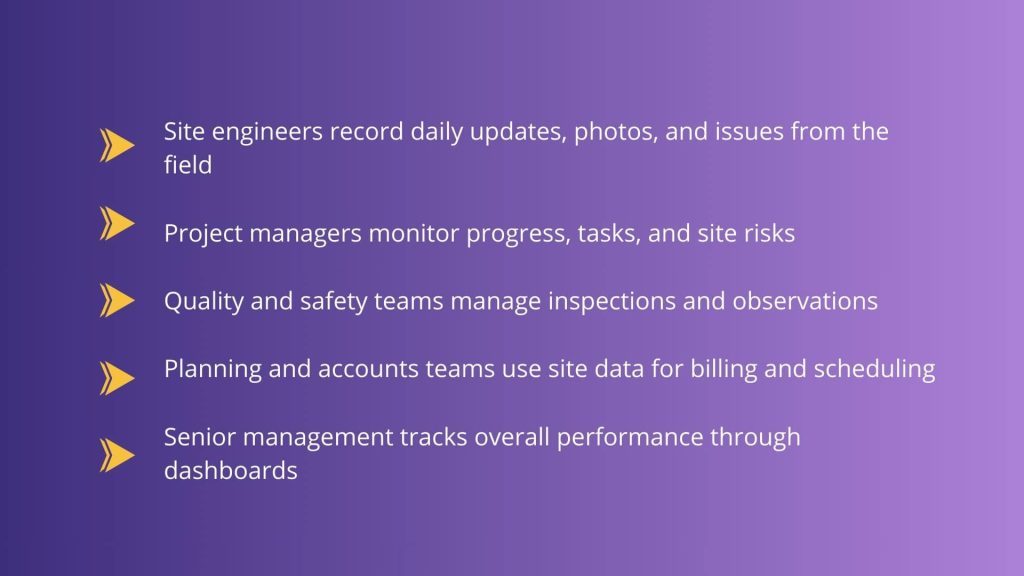
Different roles depend on site data in different ways.
Manual Coordination vs Digital Site Management
| Area | Manual Approach | Site Management Software |
|---|---|---|
| Daily updates | Paper or messages | Mobile, structured |
| Issue tracking | Informal | Logged and traceable |
| Site visibility | Delayed | Real time |
| Quality records | Scattered | Standardised |
| Responsibility | Assumed | Documented |
How Onsite Site Management Software Helps at Every Step?
1. Daily Progress Tracking with Proof
Need a Site Update? Just Open Onsite. Waiting on your supervisor to confirm progress? You don’t have to with Onsite. Onsite acts as a full construction site software solution, centralizing updates from field teams. Every task has images, voice notes, and written updates, all in one location and easy to find. Just tap the task, open the conversation, and you’ll see exactly what has been done. It’s easy to check work and make accurate DPRs based on real site data. No chasing, no guessing. Just the facts, right from the ground.
2. Material & Inventory Control
With Onsite, nothing gets missed. Every item is logged and tracked from the time it is bought until it is utilized. The system also marks products that haven’t been billed yet, so you don’t miss invoices or lose money on things you forgot to enter.
3. Manpower Allocation
Know exactly who is on the site and where they are. Onsite’s labor management lets you see how many workers are on the site, what jobs they’re doing, and where they’re working. No more guessing; just clear, up-to-date information to help you allocate people where they are needed most.
4. Task Assignment & Monitoring
Within Onsite, you can just assign tasks to workers and monitor their progress. You will have a centralized data or record which will give workers accountability, and you won’t have to chase updates on calls or WhatsApp. You can even set deadlines for the tasks. With integrated construction work management software, supervisors can assign tasks and monitor completion.
5. Real-Time Cost Monitoring
The software compares planned budgets with actual spending, helping you prevent cost overruns before they happen.
Conclusion
If you are someone looking for the Site Management Software that will come to you as a game changer then Onsite is the option for you. It helps you work more efficiently and helps you save money. It causes fewer delays, helps with better communication and gives you complete transparency over projects. Choose Onsite’s site management software to streamline site tasks, track progress, manage documentation, and support field teams with confidence.
Want to plan site management efficiently?
FAQs
1. What is site management software and how does it help construction teams?
Site management software lets teams organize daily tasks, track progress, and centralize updates from the field so site work is smoother and more visible.
2. How does construction site management software improve project visibility?
Construction site management software gives supervisors real-time access to task status, timelines, and field updates so they can act quickly and avoid miscommunication.
3. Can a construction site app make field updates easier?
Yes. A construction site app allows field staff to record progress, log issues, and update tasks from the job, improving communication with office teams and keeping data current.
4. Why use a site management app instead of spreadsheets or manual logs?
A site management app replaces scattered notes and offline files with structured records that are easy to access and update, helping teams avoid lost information and rework.
5. Does on-site tracking software help with documenting progress and reports?
Yes. Using construction project tracking software or construction tracking software helps collect updates and show progress trends, which are vital for project reviews and reporting.
6. How does construction document management software support site teams?
Construction document management software keeps plans, files, and revisions organized in one place, reducing confusion and ensuring everyone works from the same documentation.
7. Can site management software help with task and time tracking on site?
Yes. With features like task tracking software and time tracking software, site teams can record who did what and when, which helps with accountability and planning.
8. What makes construction site software different from general project management tools?
Construction site software focuses on work happening at the site level, with mobile updates, field visibility, and real-time tracking tailored to site conditions rather than just office planning.
