
Top 10 Construction Project Management Software
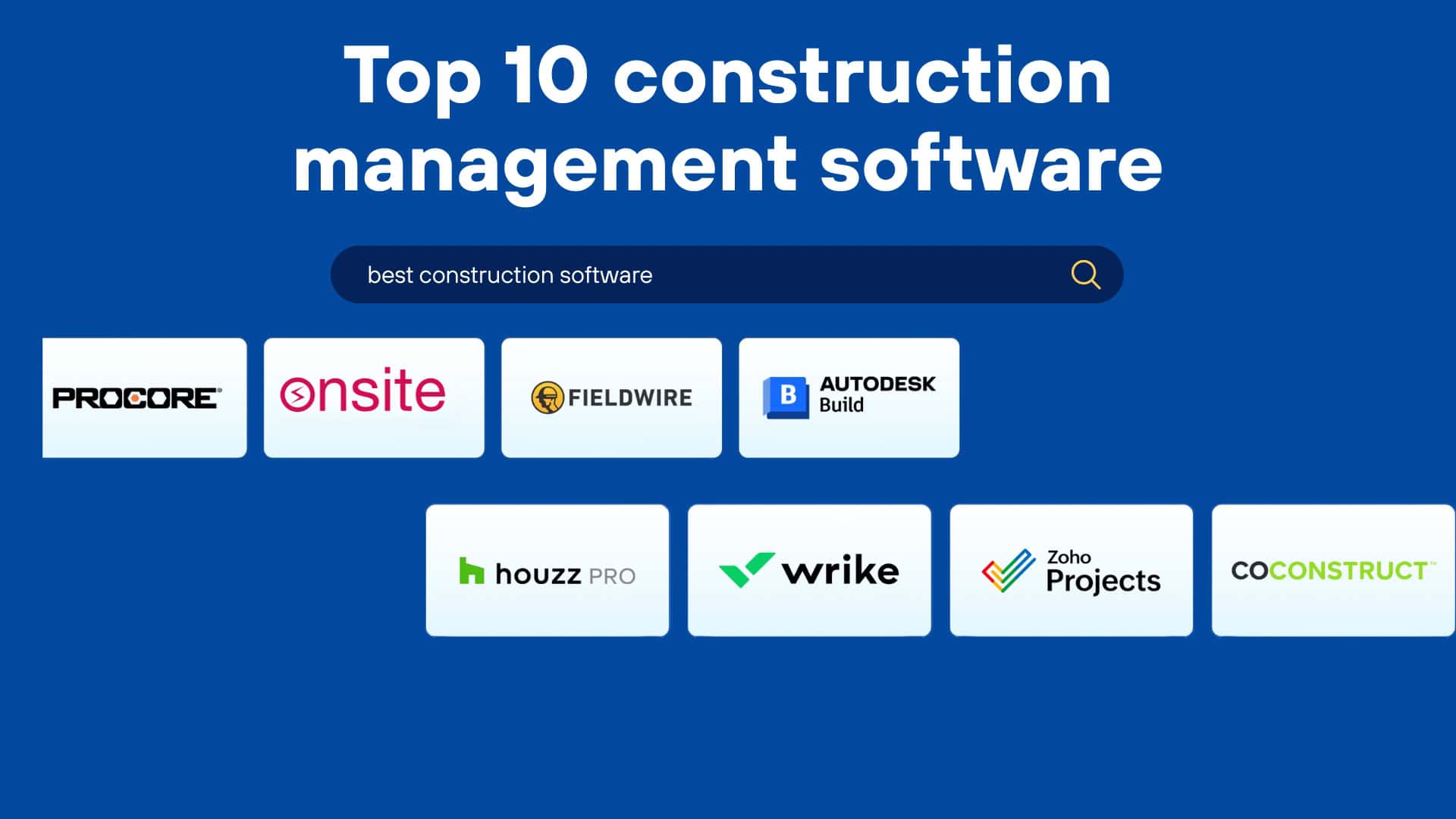
Construction management software in 2026 is no longer about stand-alone scheduling or isolated document storage. Modern tools connect financials, BOQ, daily progress, labour, resources, and project insights in one place to empower real-time decision-making on complex projects. That’s why the majority of contractors, business owners, and builders are using Construction Management ERP Software to help them manage multiple construction projects at one place.
Why Construction Projects Lose Money Before Execution Starts?
Across India and the Middle East, the same pattern appears in almost every contractor or builder business.
- Leads are closed on guessed margins
- BOQs are copied from old Excel files
- Material is ordered without consumption tracking
- Labour attendance is inflated
- Vendor bills are approved without validation
- Client billing is delayed
By the time the project ends, profits are already gone.
A true construction ERP must control:
- Rates before quotes go out
- Materials before they are ordered
- Labour before wages are paid
- Bills before they are approved
- Cash flow before disputes happen
Most software only handles one or two of these.
That is why many companies use five tools and still lose money.
Guide to Choosing Project Management Software for Construction (Comparison Lens)
Since technology has been pacing, you need to select correct construction management software that gives you more than just feature list. It is a tool that will shape workflows, team collaboration, and cost control for years to come. Consider these factors as you compare options:
Core Features You Must Evaluate
- Budgeting & Cost Control — real-time budget visibility, cost variance tracking
- Labour & Resource Management — attendance, productivity, payroll links
- Subcontractor & Vendor Management — contracts, progress billing
- Reporting & Dashboards — real-time insights across projects
Scalability & Integrations
- Can the tool integrate with GIS, BIM, accounting systems?
- Does it support enterprise resource planning at scale?
Mobility & Field Usability
- Are daily progress, quality, and labour inputs easy from mobile?
- Is offline data capture available for low-connectivity sites?
Deployment Options
- Do you need cloud-based access for teams everywhere?
- Or is on-premise hosting required for internal compliance?
For example, Onsite combines ERP-like modules (labour, material, billing) with field-ready mobile reporting — making it suitable for teams that value both deep controls and practical usability.
Top 10 Construction Project Management Platforms
1. Onsite Teams
Ideal for: Contractors, builders, construction firms, and architects looking for end-to-end control
WHAT IT OFFERS:
- End-to-end material, labour, and billing management
- Project tracking with real-time site updates
- Dedicated sections for retention and unbilled entries
- Seamless communication across teams
- Designed to scale, from individual contractors to large firms
Onsite is designed to help owners and contractors with real problems that come up in day-to-day construction projects, like keeping track of materials that haven’t been billed yet, retention, invoices, tasks, and progress. This platform is a mobile app plus desktop ERP software made to handle your multiple construction projects easily.
Why it stands out: Onsite construction management software is not a generic tool; it is made specifically for the construction industry and works effectively for everyone involved, from project owners and architects to on-site engineers and subcontractors. It is easy to use and gives teams important insights that keep them ahead. It can also be customized as per your business needs.
| Feature | Traditional ERP | Onsite |
|---|---|---|
| Labour + Progress | ❌ | ✅ |
| BOQ & DPR | ❌ | ✅ |
| Finance + Billing | ✔️ | ✔️ |
| Mobile Field Access | ❌ | 📱✔️ |
| Document Control | Basic | Integrated |
2. Procore
Ideal for: Big construction organizations who are in charge of several complicated projects
HAT IT OFFERS:
- Centralized document and workflow management
- Real-time reporting and dashboards
- Financial and budget tracking
- Integration with major third-party tools
Procore is a world leader in construction technology. It has a lot of capabilities that span the entire project lifecycle, from coordinating designs to handling finances.
Why it stands out: Procore is scalable and can be changed to fit your needs, making it a great alternative for businesses who have multi-crore projects with teams and locations all over the world.
3. Buildertrend
Ideal for: builders, remodelers, and contractors who work on homes
HAT IT OFFERS:
- Project scheduling and client communication
- Change orders and invoice tracking
- Proposals and estimates
- Mobile app access for real-time updates
Buildertrend helps builders keep their clients up to date and handle all parts of a home building or remodeling process in one spot.
Why it stands out: It helps in transparency of projects. Buildertrend helps you develop smoother workflows and stronger trust if you work in home or interior design.
4. Fieldwire
Ideal for: engineers, field supervisors, and site teams
WHAT IT OFFERS:
- Task assignments and progress tracking
- Drawing markups and version control
- Punch lists and site inspections
- Works offline and syncs when back online
Fieldwire is all about making sure that field teams stay organized and productive. It helps make task authority easier, markup designs, and communication in real time, even in places with poor internet.
Why it stands out: Fieldwire is easy to use, quick, and great for teams that are always on the go. It cuts down on delays and misunderstandings right on the job site.
5. CoConstruct
Ideal for: custom builders and design-build companies
WHAT IT OFFERS:
- Client selection sheets and communication
- Budgeting and job costing
- Estimating and proposal generation
- Lead management
CoConstruct is a great solution for organizing custom projects, especially when clients are making changes and budgets fluctuate during the project.
Why it stands out: It helps you stay professional and flexible. It is great for projects where client choices and adjustments happen frequently.
6. Foreman for Contractors
Ideal for: Contractors who want a cheap, all-in-one solution
WHAT IT OFFERS:
- 35+ tools in one platform
- Safety reports, time cards, and logs
- Estimating, invoicing, and CRM features
Contractor Foreman is a good choice if you want something that works well but doesn’t cost a lot. It covers everything from safety to scheduling without being too much for users.
Why it stands out: It’s cheap but still works well. A wonderful choice for contractors who want something simple and useful.
7. Autodesk Construction Cloud
Ideal for: Enterprise-level contractors and EPC firms handling complex projects that require close alignment between design and site execution.
WHAT IT OFFERS:
- Centralised control of drawings, RFIs, and submittals
- Site-to-office data flow through connected field tools
- Cost visibility linked to issues and progress
- Coordination across design, construction, and close-out stages
- Strong documentation and compliance support
Autodesk is a wide-ranged platform that helps in connecting design, field execution, and project controls. This software is made for large and complex construction projects.
Why it stands out: The biggest advantage of this platform is an aligned and tight connection between design data and construction workflows that helps in reducing major informational gaps in construction projects. It keeps aligned all of the activities that is being performed for a construction project.
8. Houzz Pro
Ideal for: Residential builders, interior contractors, and design-focused teams who work closely with clients throughout the project lifecycle.
WHAT IT OFFERS:
- Client portals for design sharing, approvals, and updates
- Proposal, estimate, and contract creation
- Project scheduling and task coordination
- Visual presentation tools for designs and selections
- Basic invoicing and financial tracking
A client-focused solution that makes it easy to discuss progress and keep clients updated without diving into execution-level detail. It combines basic project tracking with clear design presentation and smooth customer contact.
Why it stands out: Houzz Pro is better for client interaction. Its communication base is very strong. It helps with making communication and design coordination easier in construction projects. It is best when it comes to client visibility and presentation.
9. Wrike
Ideal for: Teams that need adaptable task and workflow management rather than construction-specific ERP structures.
WHAT IT OFFERS:
- Customisable task flows and automation
- Timeline and dependency planning with Gantt views
- Time tracking and workload management
- Configurable dashboards and reports
- Collaboration across distributed teams
A flexible work management system that construction teams use to coordinate tasks and create bespoke processes, not to manage the whole project or the money.
Why it stands out: It provides flexibility to design workflows instead of suffocating them in a rigid system. It fits in a team that values configurable workflows more than industry-specific construction modules.
10. Zoho Projects
Ideal for: Small and mid-sized construction businesses seeking a cost-effective alternative to spreadsheets for project tracking.
WHAT IT OFFERS:
- Task and milestone planning
- Resource allocation and time logs
- Budget monitoring and cost reports
- Visual dashboards and progress tracking
A cheap project management tool that lets smaller construction teams stop using spreadsheets and make planning, tracking, and daily coordination more organized.
Why it stands out: Zoho Projects is best for report making and visibility of data. It helps in creating balance between functionality and affordability. It helps construction projects moving from manual to organized digital system.
Feature & Module Comparison Table
| Feature | Onsite | Procore | Buildertrend | Fieldwire | CoConstruct | Foreman |
|---|---|---|---|---|---|---|
| Financial Management | ✔️ | ✔️ | ✔️ | ❌ | ✔️ | ✔️ |
| Project Scheduling | ✔️ | ✔️ | ✔️ | ✔️ | ✔️ | ✔️ |
| Labour & Attendance | ✔️ | ✔️* | ❌ | ❌ | ❌ | ❌ |
| BOQ / DPR | ✔️ | Partial | ❌ | ❌ | ❌ | ❌ |
| Mobile Field Access | 📱✔️ | 📱✔️ | 📱✔️ | 📱✔️ | 📱✔️ | 📱✔️ |
| Document Control | Integrated | Advanced | Moderate | Basic | Moderate | Basic |
Why You Need Complete Construction Management Software?
1. Financial Management
Keeping track of expenses is one of the most essential features a Construction Management ERP Software should have. This is the area where most of the errors happen, and this is where anyone cannot afford to have any error. A software helps you with effortless management of all the finances, and with generating material purchase orders where you can keep track of finances in a particular order. It helps you generate bills, track vendor payments, monitor retention, and keep your budgets in check.
2. Labour Management
Labour management is a critical component of Construction Management ERP Software. It ensures that your construction projects have the right people with the right skills in the right place. With this software, you can track, manage and pay labor effortlessly. With ERP software, you can monitor attendance, assign tasks, and track labor output, all in one place. You also get a clear view of contractor payments, daily progress, and site performance.
3. Material Management
To be sure that materials are procured, tracked and utilized efficiently, it is necessary that there is good material management. You can manage materials profoundly with good software. It reduces waste, prevents last-minute shortages, and helps you stay within budget.
4. Subcontractor Management
Managing subcontractors is also one of the vital activities. With a good construction management app, you can track their progress and get real time updates. A construction ERP makes subcontractor management much easier by helping you assign scopes of work, monitor job status, record daily performance, and manage bills.
5. Task & Progress Tracking
A good construction management software needs to have a task and progress tracker where you can get real-time updates and get to know the progress. It helps you assign tasks, set deadlines, and monitor progress effortlessly.
6. Much more
Construction ERP software covers it all, from document management to compliance tracking and report generation. You can get real time updates on tasks, streamline communication between teams, get automated calculation & reports, and get insights that help you make smarter business decisions. In short, it gives you control, clarity, and confidence in how your construction business runs.
Real Use-Case Examples
These anonymized examples show how teams benefit when they move from manual management to structured ERP tools:
- After switching from spreadsheets and messaging applications to integrated workflows in Onsite, one contractor cut down on reporting mistakes by over 40%. Daily updates became regular, and there was a big decline in version confusion.
- Another builder noticed considerable improvements in worker productivity after adding real-time cost insight and daily attendance tracking across several locations. Instead of using different records, supervisors and office staff started working from the same data.
- A mid-sized construction company cut down on billing errors by putting BOQ quantities, progress measurement, and subcontractor bills all in one system. There were fewer disagreements, and billing cycles went more smoothly.
These are not rare cases. They show the kinds of changes that many contractors deliberately look for when they want to have better control, clearer visibility, and fewer surprises while they work.
Choosing the Right ERP for Construction and Infrastructure Projects
Construction and infrastructure projects involve countless moving parts. Teams must manage budgets, track materials, oversee labour, coordinate contractors, and ensure accurate billing across several sites. Traditional methods using spreadsheets and messaging tools create gaps in accountability, cost control and real-time visibility. Modern enterprise resource planning (ERP) platforms unify these functions into one system, giving project owners and managers actionable insights and consistent control.
How Infrastructure ERP Software (Onsite) Makes Infrastructure Management Efficient?
1. Centralized Project Oversight
With Onsite, contractors or owners can see all of the project’s progress, site activities, and material usage in real time from a single dashboard. It makes it easier to handle more than one project and gives people who need to make decisions the information they need to do so right away.
2. Accurate Material Tracking
When subcontractors at site use materials, they can just update the amount of material that has been used at the site. In this way you can know how much material has been used or how much is remaining at the site. This helps in streamlining your material inventory management.
3. Simplified Contractor Management
It’s usual for contractors to work on more than one project at a time. It can be hard to keep track of all of them. Onsite makes it easy by putting all of your sites on one easy-to-use dashboard. With just one click, managers can switch between projects, see how far they’ve come on each one, and immediately find any problems that could create delays. This one view makes sure that no project is missed and that the same high standards are kept on all sites, whether they are tiny residential builds or huge infrastructure projects.
4. Equipment and Asset Monitoring
Heavy machinery is essential for infrastructure projects. Onsite tracks equipment location, usage hours, and maintenance schedules, which helps to reduce downtime and enhance asset efficiency.
5. Clear Billing and Financial Records
Contractor payment, labor salary, material expense, etc can get messy without any structured records. Tracking bills and accurate cash flow is necessary. How Onsite helps? It helps in generating RA bills for contractors directly from progress reports. It keeps track of every transaction that has been made from the transaction section. It helps in creating GST-compliant running/final client bills. It monitors advance payments, retention, and unbilled items in one place.
6. Organized Documentation
Software facilitates subcontractors and owners to store, organize, and share documents. You can send real time updates to the contractor by sending images and saving them within the app.
Conclusion
Construction companies don’t just build structures, they build systems, teams, and reputations. And behind every successful project is a reliable Construction Management ERP Software.
The correct tool can help you avoid delays, remain on budget, and improve visibility across your projects, whether you’re a small contractor or a large construction company.
Onsite is one of the best options if you want something that can handle your daily problems and has a good mix of strength and simplicity. It is made for small scale as well as large scale projects. Want to know more? Book a demo now.
Want to know about Management ERP Software?
FAQs
1. What is construction Project management software, and why is it important?
Construction project management software helps manage every aspect of a construction project—planning, scheduling, budgeting, tracking progress, and team collaboration. In 2026, with multiple projects running simultaneously and teams working across locations, such software is essential to avoid delays and maintain control.
2. Which is the best Construction Management Software for contractors in India or the Middle East?
Onsite is a strong choice for contractors in India and the Middle East. It’s designed for real-world construction challenges and supports both small-scale and large-scale projects with tools for tracking materials, billing, retention, and project progress.
3. Can Onsite be used by architects and project owners as well?
Yes, Onsite is not limited to contractors. It is equally useful for builders, architects, project managers, and construction firms looking for end-to-end visibility and control across projects.
4. Which software is ideal for large-scale enterprise construction companies?
Procore is best suited for large construction organizations managing multi-crore, complex projects. It’s scalable, highly customizable, and supports global teams and workflows.
5. What’s the best software for residential construction and remodeling?
Buildertrend is a great pick for home builders, remodelers, and contractors. It offers excellent client communication tools, scheduling, and change order management—making it ideal for residential projects.
