
How Onsite’s Budget Tracking Saves Construction Cost
With intuitive budgeting software built for site teams and supervisors
In the world of construction control is everything and keeping your construction project on budget is one of the biggest sections where control is a must. Controlling costs, timelines, materials, and execution is key to running successful projects, yet this is where most contractors struggle. Without digital budget tracking tools, many construction teams rely on rough manual estimates — often leading to wasted funds or unplanned expenses. This is where Onsite’s Budget Tracking becomes a game changer. Just with clear and real-time visibility, a contractor or construction business owner can save up to 10% of their construction project cost. Want to know how? Let’s get into it.
How Onsite Solves Problems that comes with Budget Tracking?
1. Real-Time Monitoring of Expenses
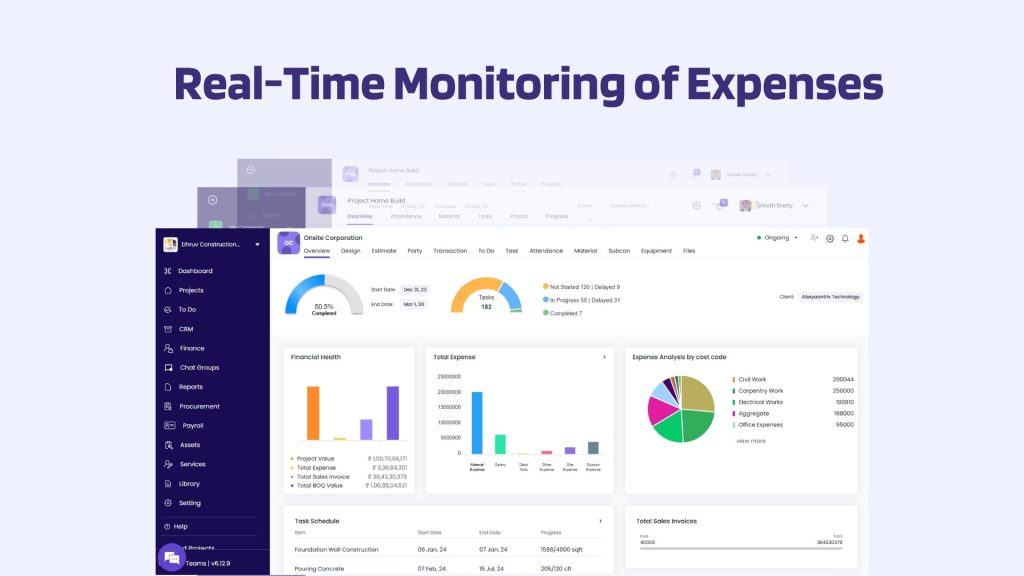
Manual processes or generic spreadsheets are nothing like money management apps built for site cost control. Keeping track of expenses is one of the most essential features a project management software should have. This is the area where most of the errors happen, and this is where anyone cannot afford to have any error. A software is good when it has effortless and real time management of all the finances. Onsite offers just that. Every project has a budget and every activity under that project has a budget. As the project progresses, every bill, material entry, and labor expense are updated against the budget with Onsite. You don’t need to wait for project completion to see how much you’ve overspent. You’ll know instantly if any activity is exceeding the budget just by monitoring the cost within the app. You will get notifications of every expense, and you can also see every single transaction that has been made.
2. Don’t Miss a Single Transaction
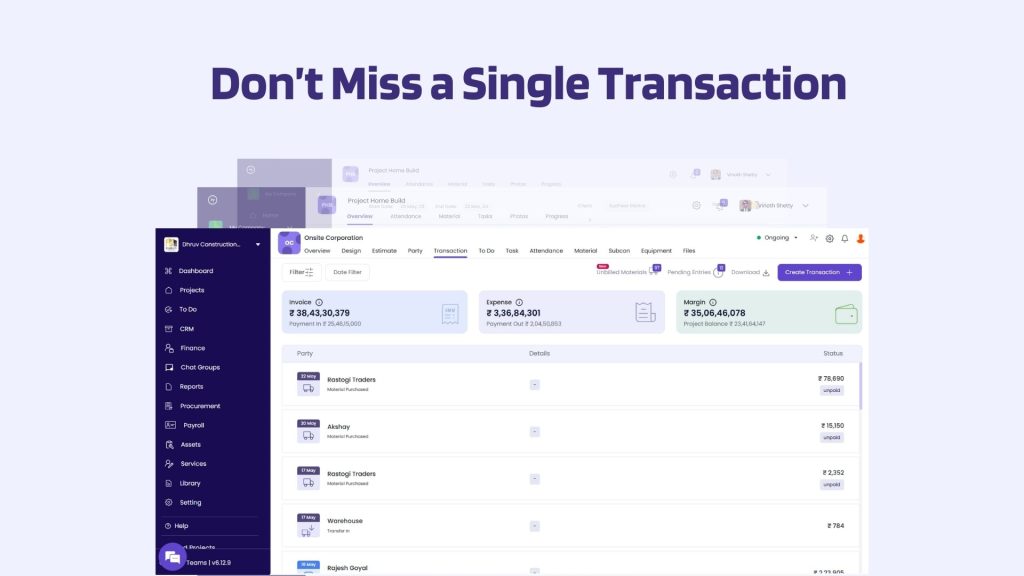
In Onsite Software, you can assign roles to different people in the company and limit their access. So, everyone can make transactions on a different level and many people cannot make a transaction until it’s approved. So, every transaction that has been happening in a project will be organized and can be seen in a single place. In this way, you will get transparency and awareness of every single expense that has been happening in a project. In this way, you can keep an eye on your construction cost, and you can also get to know if the cost is exceeding the budget.
3. Organized Material Expense Management
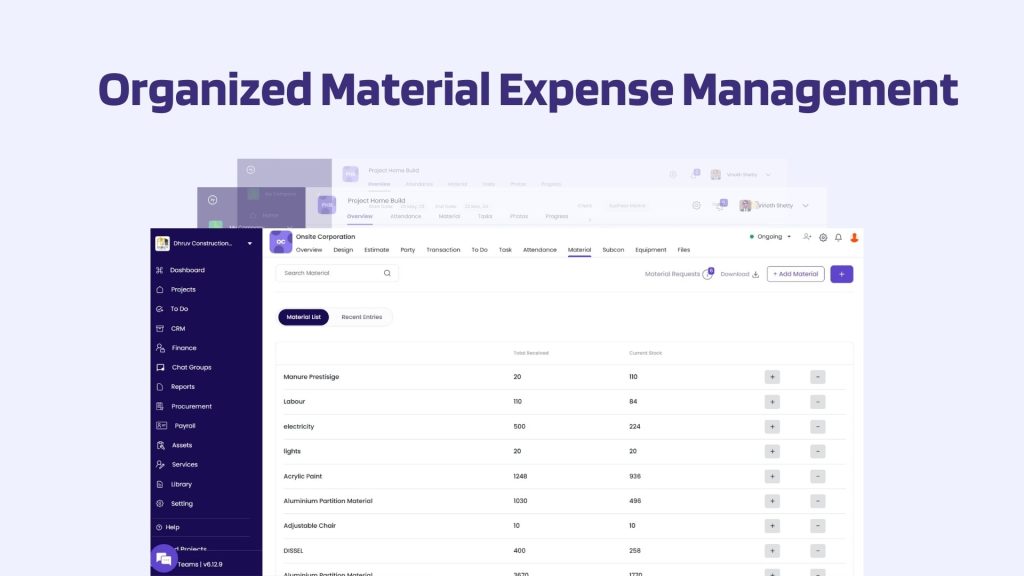
In the material section everything is organized in a way that nothing will go unnoticed. The whole material process works like this in Onsite– You can make a material library on the company level and state their rates. So, whenever you want to make a BOQ, your rates will be automatically calculated based on the material library. And then a site manager or supervisor can simply make a material request. He can describe what material is needed and how much its quantity is needed. When a material is requested, it is up to the contractor or owner whether to approve this request or not. Once the material is approved, a purchase will be made by the backhand team. While making a material purchase, you can state if the full amount is being ordered or is it done partially. This purchase transaction will be recorded in the software, and you can even generate a report of it in a PDF form. From the procurement section, your backhand team can generate a purchase order. Once the purchase is made, it is also necessary to track if the material has been received at the site and if yes, how much of it was delivered. This also can be tracked within the app. Once the material is received, Transaction can be made The Site supervisor can also define how much of this material was used. You can even track the used material on an everyday basis.
With this whole process you can know what material money has been spent on. You can even track the usage of material every day at site, and you can know if there is material wastage or over ordering.
4. Automated Labour Expense Calculation
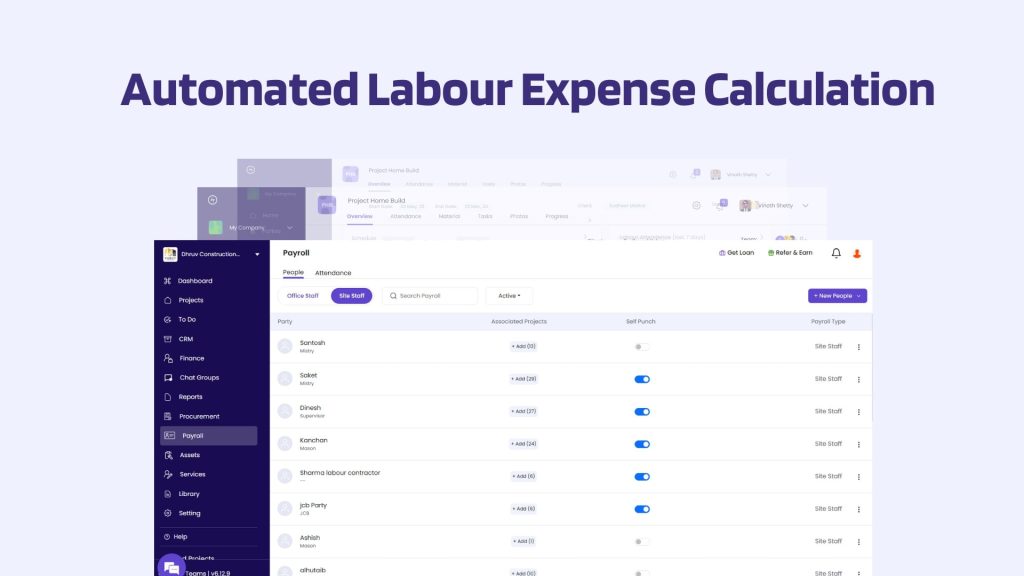
Workforce management is no more about just attendance; it is so much more than that. It is about maximizing productivity and improving the work process. Labor inefficiencies can eat into your profits, and it may never be transparent until you are deeply into it. Handling multiple projects needs a faster way to get visibility of every project. Adopting tools like Onsite can help you with better visibility, saving time, and saving money.
Onsite helps with Digitizing Time Tracking of Labour, provides GPS-Based Attendance, Automates Payroll, and Quick Generated Reports. By digitizing workforce management, you can get clear transparency on work progress at site. Labor is one of the largest expenses in any construction project. And it’s only getting costlier in 2025. So, managing the payroll of your workforce properly is a need. The automated solutions in payroll help on a crucial level. Oftentimes when you are doing manual work it is evident to have mistake. A small mistake can influence total workforce cost and can consume a lot of your time. This is the reason why automated payroll becomes important. It helps companies to avoid errors and delays. It helps in ensuring the payroll is calculated accurately and quickly.
This system helps with saving a percentage at construction cost. It also helps with saving time and increasing productivity of the workforce.
5. Other Expenses
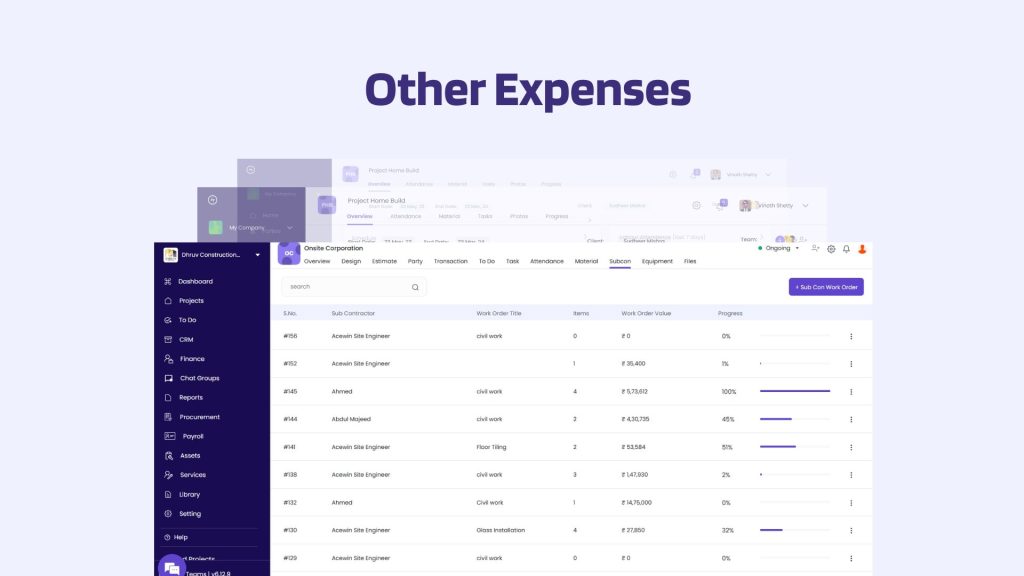
Construction projects come with several additional expenses beyond just materials and labor such as subcontractor fees, equipment hire, asset investments, fuel, and transportation. These often-overlooked costs can quickly add up and impact your overall budget if not closely monitored.
With Onsite, you can log and classify each of these expenses, connect them to the relevant project tasks, and monitor how much is being spent on them. The platform also provides detailed reports for each expense category, helping you identify opportunities to reduce unnecessary spending. With Onsite you get easy budget tracking software that logs every input, cost and adjustment automatically.
6. Clear Dashboard
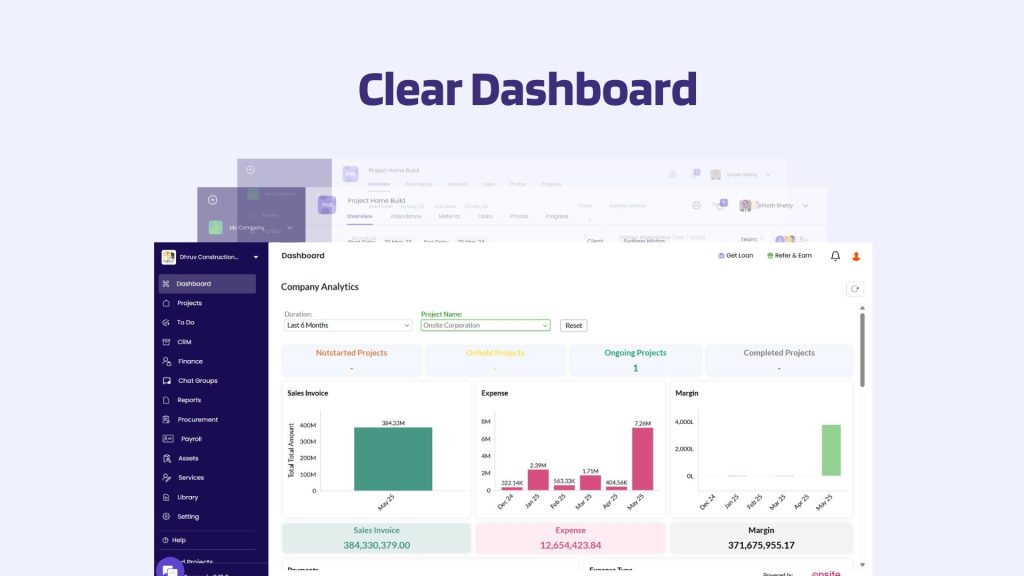
Onsite simplifies the budget vs actual calculation by providing the dashboard. This centralized view allows you to monitor site-wise performance in real time like tracking sales invoice amount, total expenses, margins, payment in and out, cash balance, and remaining budget amount for each project individually.
Conclusion
Every percentage saved in a construction project adds up to your profit which is why budget management becomes necessary. Onsite is a platform where you can easily save your construction cost up to 10% just by getting transparency, real-time tracking, and overall control. From procurement and labor to material and subcontractors, every rupee is accounted for. Choose Onsite and smart budgeting software that helps every construction team track, control, and save on costs. So, if your construction projects are always chaotic, make it more organized with Onsite. It’s time to take control over your projects.
Also Read: Why Onsite is India’s No.1 Construction Management Software?
Want to manage your construction project budget effortlessly?
FAQs
1. What does budget tracking help with in construction projects?
Budget tracking helps teams monitor planned versus actual costs in real time. It makes overspending visible early so corrective action can be taken before costs escalate.
2. How is budget tracking software better than manual cost tracking?
Budget tracking software records expenses digitally and continuously. Unlike manual tracking, it reduces missed entries, calculation errors, and delayed cost visibility.
3. Can budgeting software help reduce construction cost overruns?
Yes. Budgeting software provides clear cost visibility and alerts when spending crosses limits, helping teams control expenses and avoid overruns.
4. Are budget apps useful for site-level cost monitoring?
Yes. Budget apps allow site teams to track costs as they occur, improving accuracy and reducing delays in cost reporting.
5. How do budgeting tools support better decision-making?
Budgeting tools show where money is being spent and how it compares with estimates. This helps teams adjust procurement and execution decisions quickly.
6. Is budget management software suitable for multiple projects?
Yes. Budget management software can track costs across different projects, helping managers compare spending and control budgets without mixing data.
7. Can budget tracking software help improve accountability?
Yes. Budget tracking software creates a clear record of cost entries and changes, making it easier to understand spending patterns and maintain accountability.
8. Do money management apps help control daily construction expenses?
Money management apps help teams log and review expenses regularly, preventing small daily costs from turning into major budget issues.
