
A Step-by-Step Guide to the Construction Project Management Lifecycle with Onsite

Construction project management is a very complex task. From planning to completion, it demands great details and closer look on every single thing, from the planning stage to project delivery, contractors, engineers, architects, and clients must work in unison, managing resources, timelines, and budgets. Understanding the full lifecycle — from planning and scheduling to tracking and cost oversight — is essential for a modern construction project management system. Which is why Onsite has come up with a step-by-step guide for you to manage Construction Project Management Lifecycle using Onsite.
Guide to the Construction Project Management Lifecycle with Onsite
1. Project Planning & Estimation
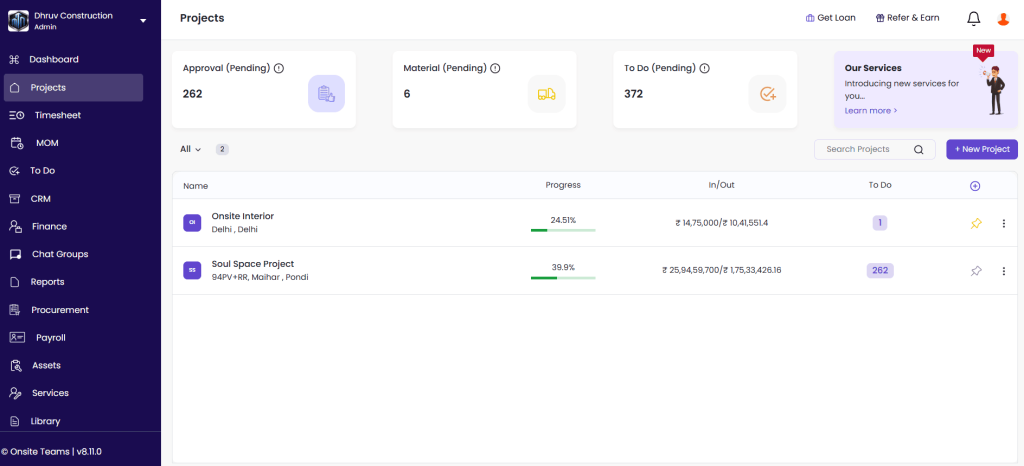
Before anything takes place, the very first step in the Project Management Lifecycle is to plan a project. During planning, teams often rely on construction project planning software to define timelines, resources, and deliverables. This step includes scope definition, budgeting, resource planning, BOQ creation, and setting timelines.
How Onsite helps?
- Make your BOQ within the software and let it automatically calculate the total value of it.
- Assign every task’s timeline, allocate resources, and declare budgets.
- Assign roles and tasks to each member in the project so that they remember and know their duties beforehand.
2. Work Order & Subcontractor Management
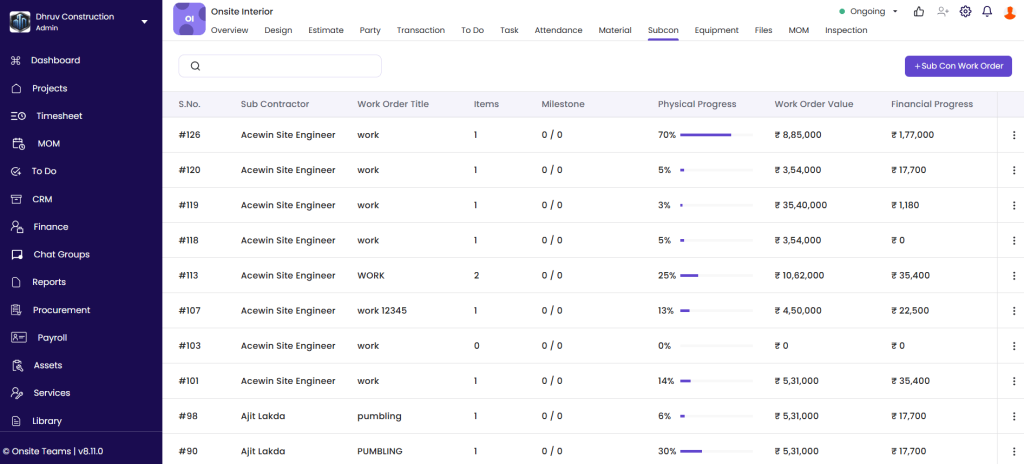
Before execution begins, you assign work to subcontractors and you need clear documentation for that. You have to clearly assign their tasks to them.
How Onsite helps?
- With Onsite, you can just move to the subcontractor section and create a work order.
- Inside the work order you can add material items to be used in the particular work order.
- You can also check the work progress updated by Subcontractor every day.
- Onsite auto-calculates bills based on completed work and tracks any material or labor deductions transparently.
- From material used to everyday progress, you can look deeply into productivity and activities.
3. Labor Attendance & Productivity Management
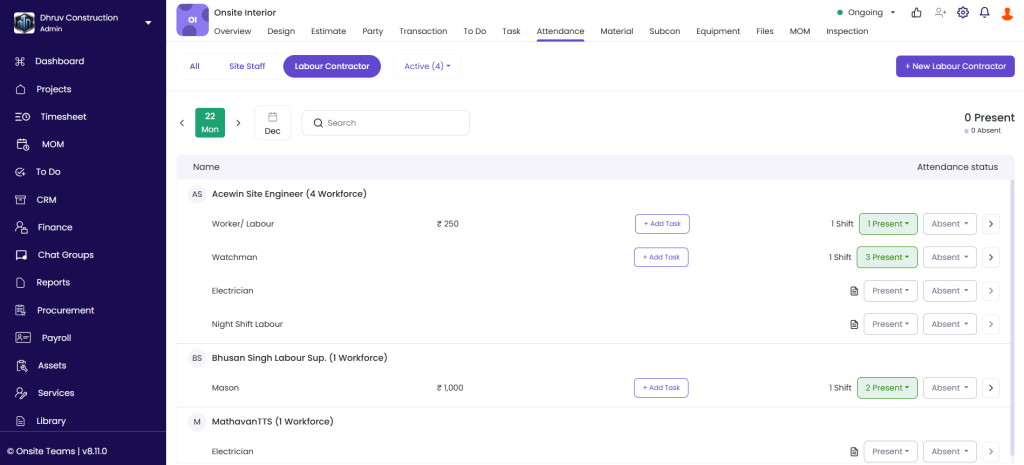
Labor is also one of the major factors in a Project Management Lifecycle. The project cannot move forward if labor isn’t there.
How Onsite helps?
- Track labor attendance
- Monitor manpower strength across multiple sites in real time.
- Generate payslip according to the work hours or per day
- No manual work
- Real-time tracking
- GPS based attendance
4. Material Procurement & Inventory Tracking
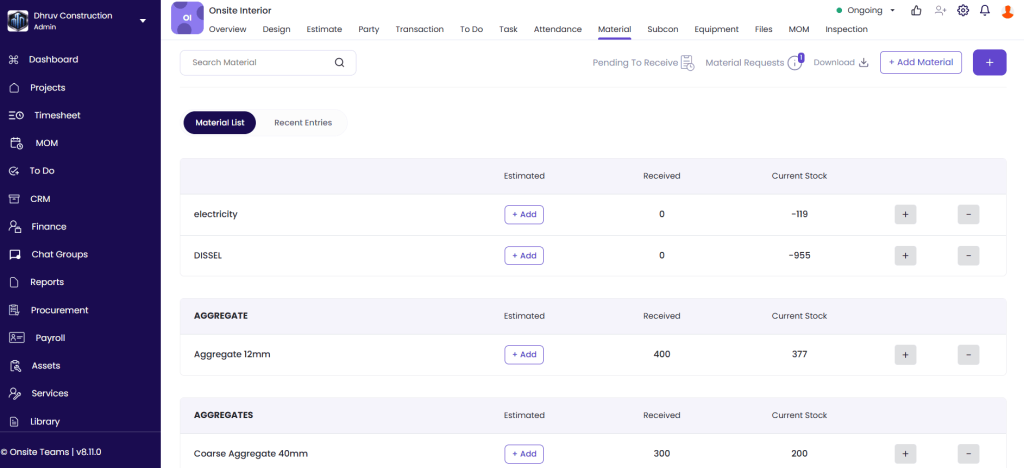
After assigning the tasks to subcontractors, you need to avail them of material to use. Often there are problems at sites like missing materials, delayed deliveries, and overspending.
How Onsite helps?
- Raise material requests directly from the site.
- Approve or reject a material request
- Generate a clear PO quickly
- Maintain a digital log of inventory and automatically link it with billing and progress.
- Analyse material usage on every task at site
- Prevent over-ordering and keep procurement teams in sync with site demands.
5. Execution & Daily Progress Tracking
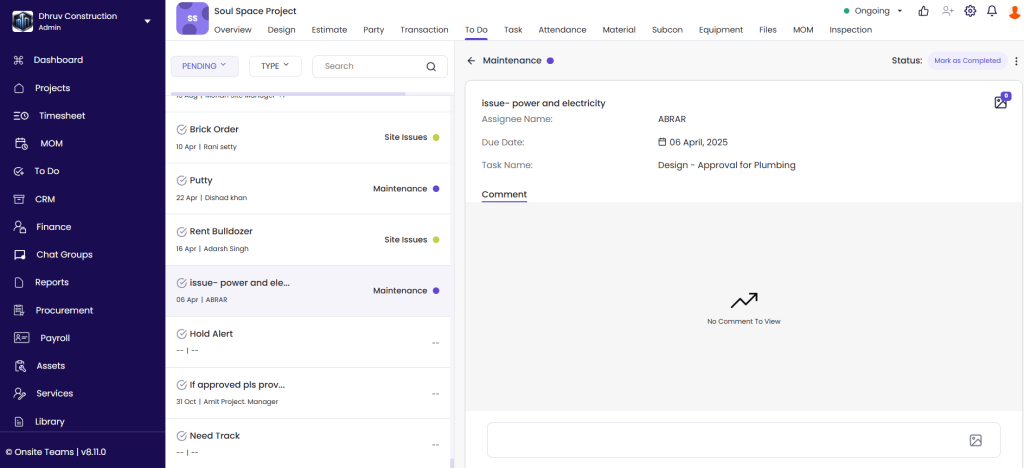
The actual execution begins when labor and material is present at site. In execution, it is critical to use construction project tracking software so you know which tasks are on time and which need attention. While tasks are assigned, monitoring daily progress is necessary. Real-time updates are critical to avoid delays and disputes.
How Onsite helps?
- Easy daily progress updates via the mobile app like photos, progress %, remarks, etc.
- Compare actual work done vs. planned to spot delays early.
- Generate DPR with one click and quickly share
- Every update including labor details, material usage, and progress photos is securely stored.
6. Billing & Cost Management
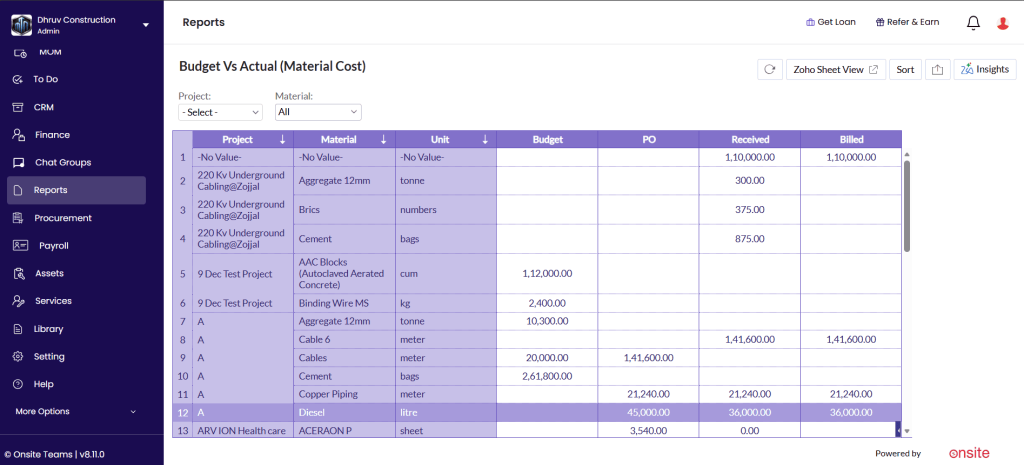
Subcontractor payment, labor salary, material expense, etc can get messy without any structured records. Tracking bills and accurate cash flow is necessary. Seeing all costs in one place — through tools like project cost tracking software — helps protect the overall construction budget.
How Onsite helps?
- Generate RA bills for subcontractors directly from progress reports.
- Keep track of every transaction that has been made from the transaction section.
- Create GST-compliant running/final client bills.
- Monitor advance payments, retentions, and unbilled items in one place.
- Get clarity and avoid disputes.
7. Quality & Compliance Tracking
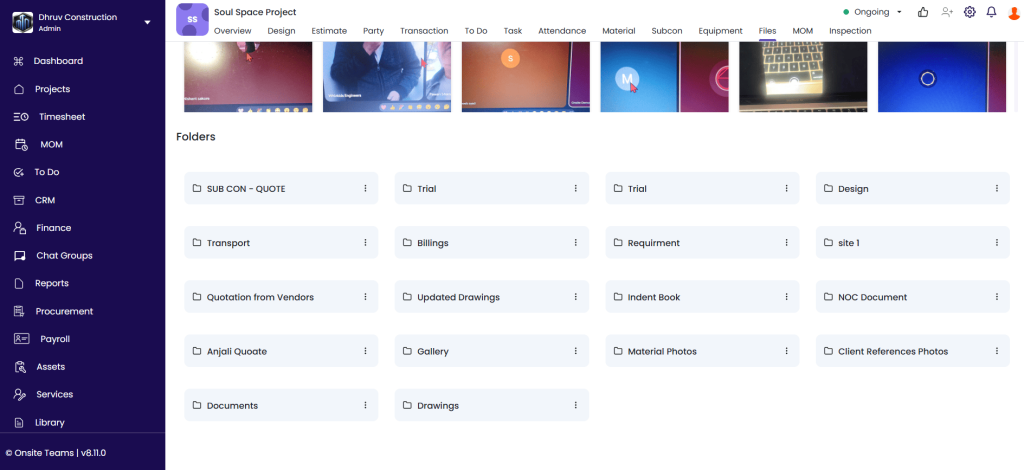
After the completion of a project on time, the second last step in Project Management Lifecycle is quality checks and documentation is important.
How Onsite helps?
- With our chat option, you can track quality issues with photos and status.
- You can save documents in the files section and access them whenever needed.
8. Completion & Handover
Now your project has been completed, and you can close the project. Once work is complete, reflecting on outcomes reported by the construction project tracking software helps teams refine future planning.
Conclusion
Unlike other tools, Onsite is a construction-based project management app and we have discussed a guide to the Construction Project Management Lifecycle above. You can manage every project management step easily with Onsite. It brings order in the chaos of construction project management.
Want to know more about Construction Management Software?
FAQs
1. What does a construction project management system help teams manage?
A construction project management system brings planning, scheduling, progress tracking, and cost oversight into one structured workflow so teams can manage projects more effectively.
2. Why is construction project planning a critical first step?
Construction project planning defines scope, timelines, and responsibilities before work begins, reducing confusion and helping teams move into execution with clarity.
3. How does construction project scheduling software support daily site work?
Construction project scheduling software organizes activities in the right sequence, helping teams coordinate tasks and maintain steady progress across the project timeline.
4. What is the purpose of construction project tracking during execution?
Construction project tracking allows teams to monitor progress against planned activities, making it easier to identify delays or deviations early.
5. How does construction project tracking software improve control over timelines?
Construction project tracking software provides up-to-date visibility into task completion, enabling managers to respond quickly when schedules start to slip.
6. Where does the construction budget fit into the project lifecycle?
The construction budget guides spending decisions throughout the project, helping teams align execution with financial limits and avoid cost overruns.
7. How is construction project planning and scheduling different from basic planning?
Construction project planning and scheduling focus on aligning tasks, resources, and timelines in a way that supports smooth execution and minimizes disruptions.
8. Why is construction project tracking important in the later stages of a project?
Construction project tracking helps teams review progress, understand performance trends, and apply those insights to improve future project planning.
