
Mobile First Construction Workflow: What Changes on Site
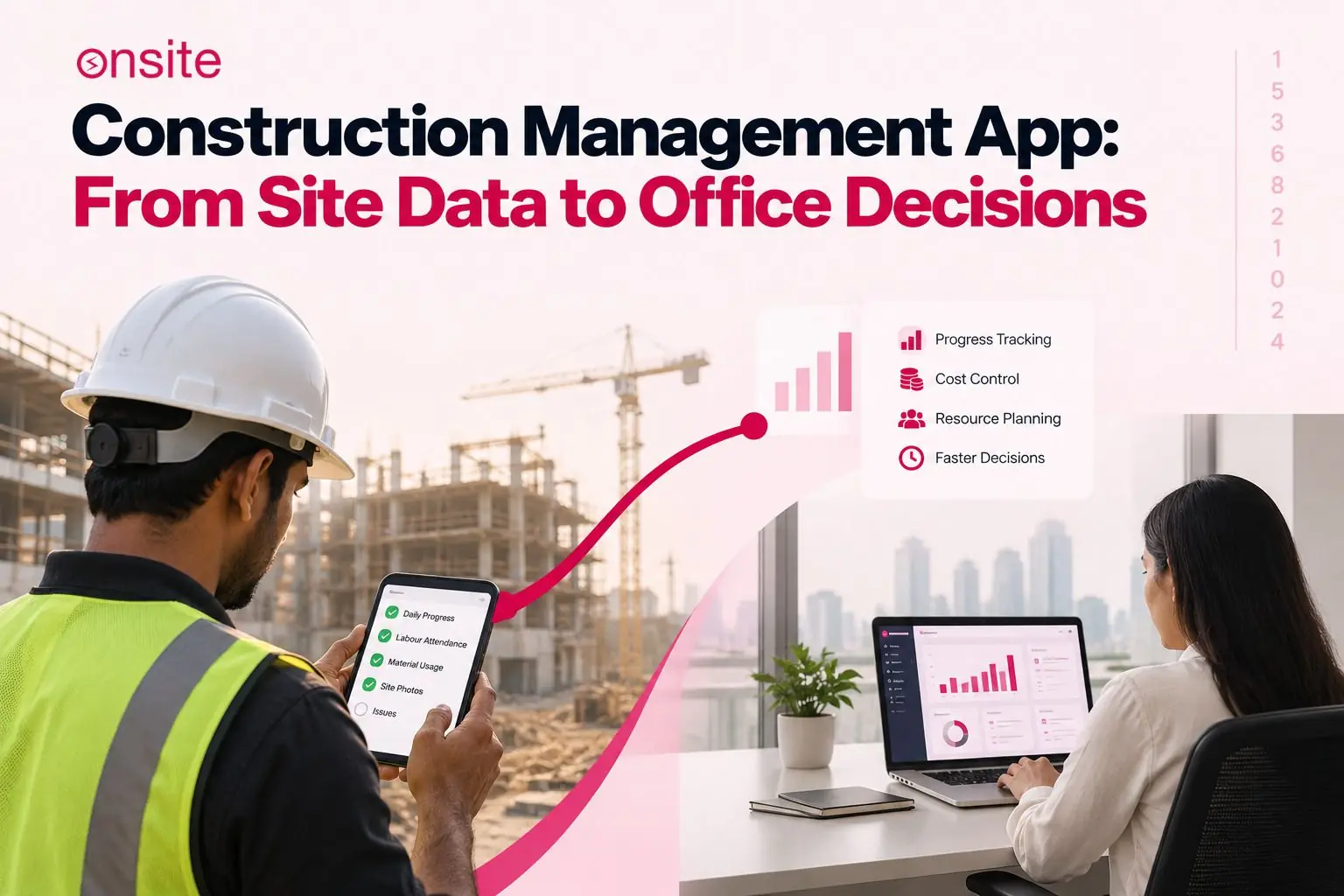
A construction management app handles field-to-office construction workflows. It is a mobile interface that brings connected workflows, with the help of which site teams can access project information while they are working and also send it to the relevant project, cost, approval, reporting, or management workflow.
A construction management app is not simply desktop construction software on a smaller screen. Its major quality is that information can be accessed or updated from anywhere at any time. Its value depends on how well it captures information where the work happens and how reliably that information reaches the relevant workflows without someone having to manually gather all the information.
What Should a Construction Management App Actually Do?
A construction management app should be able to capture information at the site, provide enough context to make it useful, and connect it to the relevant workflow without requiring any manual re-entry. The teams present at the site use mobile access for multiple things, such as attendance, daily progress, material requests, site issues, photographs, task updates, and approval submissions. There are also more complex activities that are better suited to the desktop, such as BOQ configuration, budget reconciliation, detailed reporting, and portfolio analysis. The value does not fully rely on the phone. The value lies in what happens to the information after it is entered.
The Site Engineer Is Where the Information Is
The field to office construction workflow starts with a simple problem. The site is where most of the important project information is generated. It is the site team that knows what was completed, what was consumed, who was present, what changed, what went wrong and what needs approval.
The issue is not the availability of this information. The issue is the delay and loss of information between the site and management. Information may be available when something happens, but management may not see it or act on it until much later.
A site engineer may notice that an activity started late. The number of workers may be lower than planned. A material may also be running short. All of this is known at the site in real time. However, the project manager may receive the information through a WhatsApp message six hours later. By then, some details may have to be recalled from memory. The photograph that could have explained the situation may be missing. The information may also not be linked to the BOQ activity it affects.
The field to office workflow changes how this information is captured and where it is recorded. It also determines what the record is connected to automatically. The principle the article returns to throughout is simple: capture once, use downstream. The site team records the information once. The system then makes it available to every workflow that needs it.
Why the Point of Data Capture Matters in Construction
A construction activity taking place at a construction site creates construction information that can lose value rapidly after the moment it is generated. A site engineer may record information about a slab pour immediately after it is completed. A photograph is taken in context, and the timestamp is noted to match the activity.
However, if the same site engineer forgets to record it immediately after the slab pour and remembers it six hours later, they are producing a record that is less accurate, less complete, and less useful for billing verification, delay analysis, or project planning. This is one of the structural consequences of capturing information later rather than immediately.
When site data is captured after the fact, quantities are noted down from memory rather than actually measured. Context is often missing or approximated, and the record arrives after the decision it should have informed has already been made.
Research from Associated Builders and Contractors on field technology repeatedly finds that the gap between when a site event occurs and when it is recorded is one of the major sources of information quality problems in construction project management. The field-to-office construction workflow helps close this gap by placing the recording interface at the source.
What Should Be Done on Mobile and What Should Stay on Desktop
What belongs on mobile – the site and field:
| Site Task | Why It Belongs on Mobile |
| Attendance | Happens at the site entrance and requires location and time context |
| Daily progress | The person doing the work knows what was actually completed |
| Task status updates | Changes as work progresses throughout the day |
| Site photographs | Need to stay connected to the specific activity and location |
| Site issues and flags | Problems should be recorded where they are observed |
| Material requests | The requirement originates at the point of work |
| Material receipt confirmation | Delivery is physically verified at the site |
| Approval submissions requiring field context | Decision maker can act without waiting for paperwork to travel |
What belongs on desktop – the office and management:
BOQ creation and configuration, detailed budget setup, bulk data management, financial reconciliation, complex procurement analysis, detailed project reporting, portfolio-level analysis, approval workflow configuration, and large document administration are all better suited to a desktop interface where connectivity is reliable, screen space is sufficient, and the person performing the task is not standing on an active construction site.
Combined view:
| Workflow | Mobile — Field | Desktop — Office |
| Attendance | Record | Review and payroll |
| Daily progress | Capture | Analyse and report |
| Material request | Raise | Approve and procure |
| Site issue | Capture | Assign and monitor |
| Approval | Submit | Review and decide |
| BOQ | View and reference | Create and configure |
| Budget | View relevant inputs | Configure and reconcile |
| Reporting | Provide source data | Analyse and present |
| Portfolio analysis | Limited | Primary |
Mobile and desktop are not supposed to compete. They both perform different jobs within the same connected workflow. Any app that tries to replicate the full desktop experience on a phone is only producing a poor interface and a poor field experience. A desktop system without a mobile field layer creates a data quality problem.
The Site-to-Office Data Loop
The field to office construction workflow works as a closed loop. Information does not just move from the site to the office. It goes through a complete process, from the event happening at the site to the action taken by management.
Step 1: Event happens. The work happens at the site first. An activity is performed, a delivery arrives, a problem occurs, or a decision is needed. At this point, the event has happened, but there is no record of it anywhere else.
Step 2: Site team captures it. The person closest to the work records what happened. They do this using a mobile device at or near the point where the event happened.
Step 3: Context is attached. The record should include the activity reference, quantity, date, location, photograph, responsible team, and any relevant notes. All of this information is connected to the record when it is entered. It does not have to be added later.
Step 4: Connected workflow updates. The record then enters the relevant project process. This can include progress tracking, procurement, labour records, or finance. The same information does not need to be entered again by someone in the office.
Step 5: Office reviews the updated position. Management can see the current position of the project from the information already recorded. They do not have to request it, compile it, or wait for a summary.
Step 6: Action feeds back to site. The approval, correction, procurement instruction, or escalation then reaches the people executing the work through the same system.
This loop, site event, structured record, connected workflow, management action, is what makes field data part of the live construction project planning record rather than a parallel summary compiled separately and reconciled later.
The process starts with an event at the site. The event is recorded with the required information and enters the connected project workflow. Management can then review the updated position and take action. That action goes back to the site team through the same system. This is what makes a field to office construction workflow different from a system that simply gives site engineers another screen to fill in.
For the office-side planning and project scheduling that field progress feeds into, see the Construction Project Planning Software page.
What Information Should Be Captured at the Point of Activity
The usefulness of a field entry depends on how much context it carries. The minimum useful context for each common field event:
| Field Event | Minimum Context for a Useful Record |
| Progress update | Activity, quantity completed, date, location, responsible team |
| Material receipt | Material type, quantity received, delivery reference, date, receiving location, condition |
| Attendance | Worker or team, project and site, date and time, location verification |
| Site issue | Issue description, location, affected activity, photograph, responsible person |
| Approval request | Request details, quantity or value, supporting information, named approver |
| Material request | Material type and specification, quantity needed, BOQ activity reference, required date |
Capture Once, Use Downstream
The most important concept in field-to-office construction workflow design is that information entered once should be available in every workflow that depends on it without having to be entered again.
For example, if a site engineer records that Block A masonry is 60% complete, 14 workers are deployed, and 2 issues have been flagged, this single entry may support other activities such as task-in-progress status, BOQ progress tracking, project reporting, management dashboards, billing readiness reviews, and productivity analysis that compares planned labour output against actual output.
The value of mobile entry lies in what can happen downstream without anyone having to find the information, request it, or enter it again. Every workflow related to the entry uses the same verified source record rather than separate entries being added 10 times into the same system.
The single-entry principle also applies to material tracking and daily progress tracking, where a field entry can support the progress record, the BOQ position, and the management dashboard simultaneously.
What Happens When Field Data Is Captured Late
Delayed field data is more about decision quality. Specifically, it is about whether the decision was correct and made with the right information and steps. Decision quality depends on how many decisions have to be made before the relevant information arrives.
Any late progress update creates a stale project position. For example, if a project manager reviews the progress on Thursday morning, they may only see information that was updated on Wednesday afternoon. This creates a delay in the decision to accelerate, resequence, or escalate work that has already been delayed.
Any late material update can delay the procurement response. A site team that reports a material shortage six hours after discovering it is creating a delay, and the work can stop.
The same goes for late attendance records, which can cause reconciliation problems in payroll. When attendance is submitted in a weekly batch rather than as a daily activity, individual days cannot be verified against the site diary, and discrepancies cannot be investigated while the project is still active.
The timing of field data capture is where all of these gaps can originate. This is consistent with findings from AGC and SAGE’s annual construction outlook on the leading operational challenges faced by construction contractors.
What a Construction Management App Must Handle on a Real Site
While you are sitting in a demo, a construction management app may look perfect, but it may not work well on an active construction site.
Mobile-first interaction
While sitting in a demonstration, you may need to check if the interface is properly designed for a phone rather than simply being a desktop interface adapted to a smaller screen. In the field, you cannot carry a desktop around. It should be easy enough for a site manager to pull out a phone, make an update, and continue with their work. It should support common field tasks such as submitting a progress update, attaching a photo, and raising a material request, and these tasks should take less than three minutes.
Connectivity variability
For any common task taking place at a site, there should be minimal steps required to make a data entry. There should not be multiple tabs that you have to navigate through before reaching an interface where you can make an entry. Any interface that requires multiple steps to complete the most common tasks will not be used consistently.
Contextual records
While an update is being made, it should contain context such as photographs, dates, location information, and activity references so that it provides more than just information. The user should not have to navigate through different sections and add these details separately.
Mobile-to-desktop continuity
While workers are making updates directly from the site, the information should immediately update in the same project system, whether it is being viewed on mobile or desktop. These immediate updates should be visible to project managers and owners so they can make better decisions immediately. The mobile database should synchronise with the desktop system continuously. It should not be separate or require manual data entry.
How to Test a Construction Management App Before Rolling It Out
Bringing in a mobile interface is not going to magically improve a construction workflow. Understanding the failure conditions is as crucial as understanding the value proposition.
The same information has to be entered twice. A site engineer may submit a progress entry in the app, but he is also sending it in a WhatsApp message, summarising the same information. This results in two separate entries of the same record existing in two different places.
The workflow asks for information the site team does not have. If an app requires a site engineer to enter a material request, but the engineer does not have access to the purchasing process or the system, this is going to make the site team abandon the formal process and switch back to sending a message instead.
The field record does not reach anyone who acts on it. Progress entries may be updated every day regularly, but the project manager is only reviewing them at the end of the week. The site-to-office loop stops at data capture and never reaches decision-making.
The mobile interface is too slow for site conditions. While a person is present at a site, they do not need six screens and 12 fields to fill in a simple site progress update. It will be skipped because it takes too long, or it will simply be entered at the end of the day, which defeats the purpose of mobile capture.
Photographs and supporting information become detached from the activity. A photo might be taken of a task that is currently taking place or has been completed, but it is uploaded to a general project gallery and is not linked to the specific activity. This defeats the purpose of the system being usable for progress verification or billing support.
The site captures data, but the office still waits for a separate daily summary. The app is specifically made for getting live updates from anywhere and at any time. But the project manager is still sending a WhatsApp request for an end-of-day update every evening. This might be happening because the app’s records are not trusted or not being reviewed.
The conclusion from these failure conditions is consistent. Just adding a mobile interface is not automatically going to resolve all the problems or create a better workflow. The underlying process has to become simpler and more connected, not more layered. The patterns behind these failures and what field research shows about why site teams stop using a platform after the first week, are examined in depth in the article on why construction software adoption fails.
What Should a Connected Construction Management App Connect
An operational test of a construction management app is to determine whether the information entered through the mobile interface becomes part of the project’s working system and supports the decisions that project managers, procurement teams, and business owners need to make.
| Site Event | What It Should Connect to |
| Progress recorded | Task and activity status, BOQ progress, project reporting |
| Attendance recorded | Labour records, payroll calculation, productivity tracking |
| Material request raised | Approval workflow, procurement |
| Material received and verified | Inventory stock position, project cost |
| Expense recorded | Project cost position, finance records |
| Site issue raised | Responsible person assignment, corrective action, reporting |
| Photograph captured | Relevant activity record, project evidence |
| Approval submitted | Approval workflow, audit record |
The site team should be able to provide source information once. Whether it is a progress entry, an attendance record linked to payroll or productivity, a material receipt, or a site issue, the system should make that information available to the workflows that depend on it without requiring anyone to extract it, reformat it, or enter it again manually.
Field-to-Office Construction Workflow Checklist
The following checklist covers the conditions that a field-to-office construction workflow should satisfy before it is considered functional rather than simply installed.
Capture
☐ Site teams can record progress, attendance, material requests, and site issues from a mobile device at the point of activity
☐ Common field actions can be completed without unnecessary navigation in under three minutes
☐ Progress entries include activity reference, quantity, date, and location context automatically
Context
☐ Photographs remain connected to the specific activity and date when captured through the app
☐ Material requests carry a BOQ activity reference and specification, not just a material name and quantity
☐ Approval requests carry the supporting information the approver needs to make a decision without a follow-up call
Connectivity
☐ Data can be captured when the mobile connection is unreliable or absent
☐ Captured records synchronise automatically when connectivity is restored
☐ The user receives confirmation that a record has been successfully submitted
Connection
☐ Field entries are visible to the project manager’s dashboard the same day, without a manual compilation step
☐ The same field entry supports more than one downstream workflow, not just the immediate record
☐ Teams are not maintaining a parallel WhatsApp message or Excel sheet with the same operational information
Traceability
☐ Management can identify who recorded each field entry and when it was recorded
☐ Historical records are searchable by activity, material, date, or team
☐ A disputed quantity or payment can be traced back to its source field record
Where Onsite Fits
Onsite is a construction management platform built around the field-to-office workflow described in this article. It connects site-level mobile capture of attendance, daily progress, material requests, and transactions to web-based project management, budgeting, reporting, and financial workflows used by office teams and project managers.
Site teams can use the mobile app, while management can use the web portal. Both teams work with the same verified project data without having to manually gather all the project information. Onsite allows a company to manage multiple construction projects at the same time with an organised database.
Conclusion: The Value of a Construction Management App Is Not the Phone
The real project information comes from the construction site. A construction management app is the interface with the help of which this information can be captured in real time. The actual value comes from what happens after the entry is made.
Capture → Context → Connect → Review → Act
A construction management app that captures information from the site and stops there is not connecting it to the relevant downstream workflow or producing a record that the office can act on. It is just data entry. It is not solving the problem.
A good field-to-office construction workflow makes the information generated at the site part of the project’s working system without requiring someone to reconstruct it later. The phone might be just an interface, but the workflow is where the real system lies.
The NBS Digital Construction Report and successive surveys on construction technology adoption have repeatedly found that the industry’s digital challenge is not just about the tools, but more about whether the tool is connected.
Frequently Asked Questions About Construction Management Apps and Field-to-Office Workflows
What is a construction management app
A construction management app is a mobile interface through which site teams capture project information at the point of work and connect it to the relevant project, cost, approval, and reporting workflows. It differs from desktop construction software in that it is designed around the conditions of active construction sites — variable connectivity, outdoor use, and quick interactions between activities. Its value lies not in the access it provides but in how reliably the information it captures reaches the downstream workflows that depend on it without being re-entered by someone in the office.
What should a construction management app do
A construction management app should capture site information where the work happens, attach enough context to make the record useful, and pass it into the relevant workflow without manual re-entry. Attendance, daily progress, material requests, site issues, photographs, task updates, and approval submissions are well suited to mobile capture. BOQ configuration, financial reconciliation, detailed reporting, and portfolio analysis are better handled on the desktop side of the same system. The distinction is not about which tasks are more important — it is about which interface fits the conditions under which each task is performed.
Which construction tasks should be done on a mobile app
Construction tasks that belong on mobile are those generated at or near the site during the working day: recording daily progress against planned activities, marking attendance at the point of entry, raising material requests linked to BOQ activities, capturing site issues with photographs at the point of observation, confirming material deliveries, submitting approval requests with supporting context, and updating task status. These tasks benefit from being recorded at the moment they occur because the context — quantity, location, time, photograph — is most accurate at the point of activity and degrades quickly as time passes.
What construction tasks should stay on desktop software
BOQ creation and configuration, detailed budget setup and financial reconciliation, complex procurement analysis, bulk data editing, detailed project reporting, portfolio-level analysis across multiple active projects, approval workflow configuration, and large document management are all better suited to the desktop side of a construction management system. These tasks require reliable connectivity, adequate screen space, and the kind of deliberate analytical work that is difficult to perform on a phone while on an active construction site. Mobile and desktop are not competing tools — they perform different functions within the same connected construction workflow.
Why is mobile data capture important in construction
Mobile data capture matters in construction because any delay between when site information is generated and when it is recorded produces data that is less accurate, less complete, and less useful. A site engineer recording progress at the moment of completion captures verified quantities, current context, and an accurate timestamp. The same engineer reconstructing the same information six hours later produces estimates. The field-to-office construction workflow is only as good as the point at which it starts and that point is the moment of activity, not the end of the working day.
How does site data reach the project management team
A construction management app should be designed to function under the connectivity conditions of real construction sites, which frequently includes unreliable or absent mobile signal. The practical minimum is offline data capture — recording entries when no connection is available — combined with automatic synchronisation when connectivity returns, preservation of the original capture timestamp, prevention of duplicate records on synchronisation, and clear confirmation when a record is successfully submitted. Connectivity should always be tested on the actual project site with the actual devices site teams will use, not in a controlled demonstration environment.
What information should a site engineer capture in a construction app
A site engineer should capture the information that without a mobile workflow would be reconstructed later or transmitted informally. This includes daily progress against specific BOQ activities with quantities and photographs, attendance at the site, material deliveries received and verified, material requests linked to upcoming activities, site issues with location and photographic evidence, and approval requests requiring a project manager decision. The test for what belongs in the field record is whether the information is most accurate at the moment of the event and needed by someone else in the project system.
